
 German / Deutsch
  English
  French / Français
  Spanish / Español
  Dutch / Nederlands
  Italian / Italiano
  Polish / Polski
  Norwegian / Norsk
  Danish / Dansk
  Finnish / Suomi
  Swedish / Svenska
  Czech / Česky
  Greek / Ελληνικά
  Slovak / Slovenčina
  Slovenian / Slovenščina
  Estonian / Eesti
  Latvian / Latviešu
  Lithuanian / Lietuvių
  Hungarian / Magyar
  Romanian / Română
  Bulgarian / Български
  Portuguese / Português
 Cable Guide for Business Customers
Which cable is right for your device and application? Here, purchasing and technical teams will find clear answers on power cables, networking, fibre optics, USB and the installation of connectors in device housings.
For specialist retailers, system integrators, equipment manufacturers and industry: match connectors, verify technical requirements and select suitable DINIC cables for projects and series production.
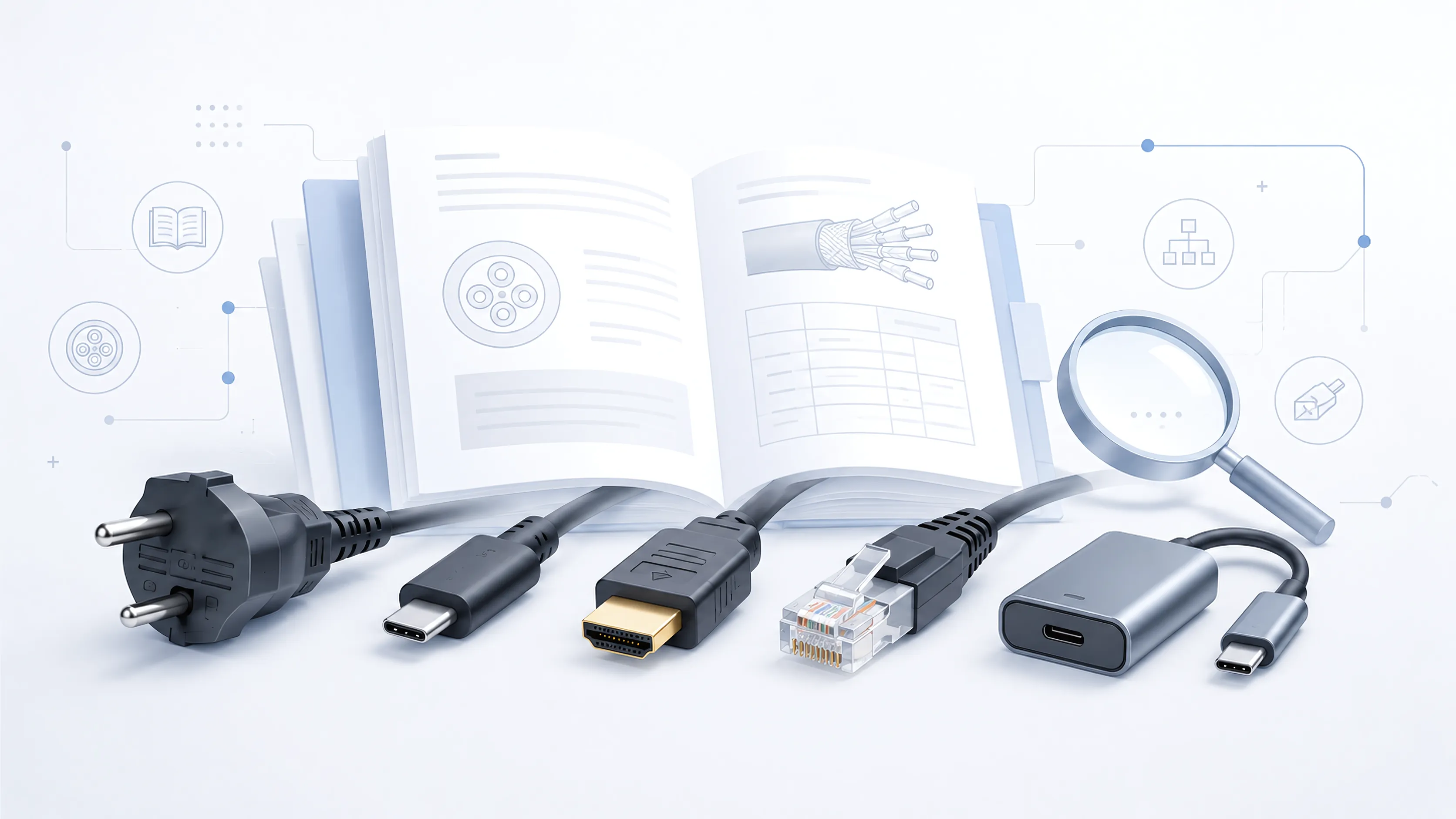
Check the following before making your selection: both connectors · rated electrical values or data functions · cable length · installation space and location of use · required certifications.
Mains cables, IEC plugs and conductor cross-sections
A mains cable connects the mains socket to the appliance. An IEC extension cable connects IEC connectors, for example in a server rack. When selecting a cable, both ends, the conductor and the load capacity must be compatible.
-
IEC 60320: Which appliance plug is suitable?
Identifying and matching C5/C6, C7/C8, C13/C14 and other plug types.
-
Which cables do I need between the UPS, PDU and server?
Correctly match C13/C14 and C19/C20 – with a connection diagram and guidance on PDUs with a fixed power cable.
-
Selecting C13, C15 or C19
Consider device connections, temperature requirements and electrical ratings together.
-
Distinguish between C13, C15 and C17
Compare the design, earth conductor and compatibility of similarly appearing connectors.
-
Angled power cables: left, right, top or bottom?
Determine the angle direction for C13/C14 based on the connection type, installation position and product illustration – with clear rear views and information on the space required.
-
C13/C14 with multiple approvals
Classify cables with multiple approvals for international equipment and IT projects.
-
0.75, 1.0 or 1.5 mm²?
Select the conductor cross-section to suit the current requirement, cable length and cable type.
-
Convert AWG to mm²
Understand American conductor sizes and look up metric equivalents.
-
H05VV-F, H07RN-F and 3G1.5 explained
Correctly interpret cable markings regarding voltage class, materials, number of cores and cross-section.
-
Halogen-free power cables and LSZH
Classify material properties, smoke emission and application-specific certifications.
-
Securing power cables against being pulled out
Compare suitable plug sleeves, locking mechanisms and IEC-LOCK solutions.
LAN, Ethernet and Power over Ethernet
For network cables, data rate, cable length, shielding and the entire connection are key factors. For Power over Ethernet, power transmission, conductor construction and installation conditions must also be taken into account.
-
Cat 6A, Cat 7 or Cat 8?
Compare cable categories for offices, buildings and data centres.
-
U/UTP, F/UTP or S/FTP?
Distinguish between overall and pair-by-pair shielding and select the appropriate option for the environment.
-
Which patch cables are suitable for PoE?
PoE, PoE+ and PoE++: take into account power requirements, copper conductors, AWG and heat build-up.
Fibre-optic cables, fibre optics and router connections
With fibre-optic cables, the fibre type, connectors and fibre end faces must be compatible with the connected components. For the router, both the patch panel and the actual device connection are crucial.
-
OM3, OM4 or OS2?
Match multimode and single-mode fibres to the intended transmission distance.
-
Compare LC, SC and ST
Understand fibre optic connectors and the significance of APC and UPC end faces.
-
Which fibre-optic cable is suitable for the router?
Match the patch panel, router connection and required connector combination.
-
OM4 outdoor cables for external runs
Check pre-terminated LC connections and installation requirements.
International power cables and country-specific plugs
For export and international equipment, the plug system, mains conditions and the documented specifications of the complete connection cable are key factors. The country overviews assist with pre-selection for the respective target market.
-
Power plugs worldwide: Types A to O
Look up countries and plug systems for connection planning.
-
USA: Power cables and NEMA plugs
Classify Type A and B, as well as North American power cables.
-
NEMA 6-20P for 250 V applications
Consider mains plugs, IEC connectors and cable cross-sections together.
-
Japan: suitable power cables
Take into account mains conditions and differences compared to similar US versions.
-
India: plug types C, D and M
Compare plug systems and cable designs for Indian applications.
-
Switzerland: Type J, Type 12/13 and Type 23
Distinguish between Swiss plug systems and their areas of application.
-
Philippines: Plugs and power cables
Check the socket and mains conditions at the specific location of use.
-
Brazil: Power cables and INMETRO
Check the plug system and certification requirements.
-
Type G and BS 1363
Classify UK plugs and other Type G target markets.
-
UK adaptors and conversion plugs
Distinguish between travel adaptors, mountable adaptors and conversion plugs.
-
Should you use a mains lead or an adapter?
Determine the appropriate connection solution for the equipment and location of use.
Important: A plug adapter does not convert mains voltage or frequency. The device, cable and required certification must be suitable for the target market.
USB, in-cabinet installation and monitor cables
Whether it’s a device front panel, service port, workstation or docking station: the plug type alone does not define the function. Check the data rate, power supply, image transmission and, for built-in solutions, also the mounting method and available installation space.
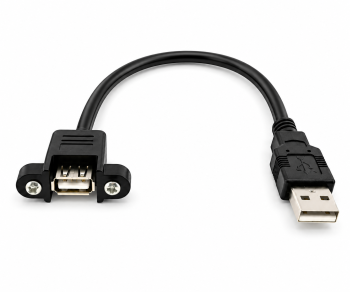
USB mounting cables: Installing a USB socket in the enclosure
How can a USB port be made accessible on the front panel? This guide explains how to select screw-mounted USB-A sockets for equipment enclosures, operator terminals and service ports.
- 30 cm, 50 cm or 1 m: choose a cable length suitable for the installation.
- 26 mm screw spacing; distinguish between housing cut-out and wall thickness.
- Check the installation depth, cable routing and strain relief using three installation diagrams.
-
Which USB-C cable do I need?
Classify charging, data, video, Power Delivery and E-Marker according to the application.
-
Compare USB4 and Thunderbolt
Check the supported functions of the cable, computer and peripherals together.
-
Which monitor cable do I need? HDMI, DisplayPort or USB-C
Connect your computer, docking station and monitor correctly: compare ports, resolution, refresh rate and signal direction, and select suitable cables or adaptors.
Certification marks and special cable applications
In special operating conditions, the data and certification for the specific cable model are decisive. The following technical pages explain selected markings and applications.
-
ENEC for power cables
Identify the certification mark and distinguish it from other markings.
-
Hospital-grade power cables
Understanding specialised connection cables for applications in the USA and Canada.
-
OCP power cables for Open Rack V3
Prepare the power supply for the relevant data centre environments.
Cable terms from A to Z – briefly explained
Concise definitions for product comparisons, bills of materials and technical enquiries. The links lead to further information on each topic.
- APC and UPC
- Terms for different types of fibre-optic end-face finishing. The contact surfaces must fit together, even if the connector design is the same.
Compare fibre-optic connectors and end-faces
- AWG – American Wire Gauge
- A system for specifying the size of electrical conductors. A smaller AWG number indicates a larger conductor cross-section.
AWG table and mm² comparison
- Angled power cables and angle direction
- Connection cables with angled plugs or angled couplers for precise cable routing in confined spaces. The specification ‘90°’ describes the angle; the cable outlet on the appliance also depends on the design and installation position. Directional specifications such as left, right, top or bottom must therefore always be checked against the product illustration.
Selecting the correct angled power cables
- H05VV-F and 3G1.5
- H05VV-F describes a cable type. 3G1,5 stands for three conductors, including the protective conductor, each with a nominal cross-sectional area of 1.5 mm².
Understanding cable designations
- IEC 60320
- A series of standards for appliance plug and socket connections. Examples include C13/C14 and C19/C20; the designations distinguish between the different connection types.
IEC plug and socket connectors at a glance
- IT equipment extension cable
- Connection cable with IEC connectors at both ends, such as a C14 plug and a C13 socket for IT and rack connections.
Find the right IT extension cable
- Conductor cross-sectional area
- The cross-sectional area of an electrical conductor, often specified in mm². When selecting a cable, the conductor type, length and operating conditions are also important factors.
Selecting the correct conductor cross-sections
- LSZH – Low Smoke Zero Halogen
- A designation for low-smoke, halogen-free cable materials. The specific properties that have been verified are set out in the relevant specification.
Classifying halogen-free cables
- Monitor cables: HDMI, DisplayPort and USB-C
- Cables for transmitting images between a computer or docking station and a monitor. The choice depends on the connectors, resolution, refresh rate and, where applicable, the signal direction.
Selecting monitor cables and suitable adaptors
- Power cables
- Cables connecting the mains socket to the device. The mains plug, device connector, cable, length and rated values all form part of the selection criteria.
Determining the correct power cable
- OM3, OM4 and OS2
- OM3 and OM4 refer to multimode fibre, whilst OS2 refers to single-mode fibre. The suitability of the link also depends on the optical components.
Compare fibre types
- PoE – Power over Ethernet
- Data transmission and power supply via the same network cable. The cable type and installation must be suitable for the intended power rating.
Selecting patch cables for PoE
- Shielding: U/UTP, F/UTP and S/FTP
- The overall shielding is indicated before the slash, followed by the pair shielding. U stands for unshielded, F for foil, S for braid; TP stands for twisted pair.
Distinguishing between LAN shielding types
- USB-C and Power Delivery
- USB-C is a connector type. Power Delivery is used to negotiate the power supply. Data rate, video transmission and charging power must be checked separately.
Correctly assigning USB-C functions
- USB assembly cables and panel mount
- USB cables with a connector for mounting on a front panel or enclosure wall. In the DINIC USB-A versions described, the socket is screwed into place. Screw spacing, cut-out, mounting depth and cable length must be checked separately.
Selecting USB panel-mounted sockets and assembly cables
Frequently asked questions about cable selection
Is a suitable plug sufficient for cable selection?
In addition, the rated electrical values, cable construction and operating conditions must be suitable. For data cables, the required transmission functions and connection length are also crucial.
Which cable do I need for a PC or server?
Check the actual device connection. A C14 device socket requires a C13 plug, whilst a C20 socket requires a C19 plug. The other end of the cable depends on the mains socket, UPS or PDU. The guide to cables between UPS, PDU and server shows suitable connectors and a PDU with a fixed power lead. The Cable Finder helps with the initial selection.
How do I identify the correct angle for a power cable?
Look at the device connection in its intended installation position and decide where the cable should run. Terms such as ‘left’, ‘right’, ‘top’ or ‘bottom’ can be interpreted differently depending on your perspective; the installation position of the connector may also vary from device to device. When selecting our cables, therefore, please refer to the relevant product image and detailed views. Compare the connector type, cable exit and available space with your device. The guide to selecting angled power cables shows suitable rear views and explains the procedure.
How do I fit a USB socket to the front of a case?
A USB mounting cable can route an existing USB connection to a fixed socket on the front of the enclosure. Ensure that both connectors, the USB version, cable length and mounting method are compatible with the device. For the DINIC USB-A mounting cables described, 26 mm refers to the distance between the screw centres, not the size of the cut-out in the case. There must be space behind the front panel for the socket housing, cable exit and bend. The guide to USB mounting cables and enclosure installation illustrates the selection process with three diagrams.
Does every USB-C cable support image transfer and fast charging?
No. The same connector shape can conceal different cable types. Check the specified data and video functions, the charging power and the capabilities of both devices. Select USB-C cables according to their intended use.
How do I find the right fibre-optic cable for my router?
Compare the connectors on the router and the fibre-optic connection box. As well as the design, the fibre type and end-face polish must match. The guide to fibre-optic cables for routers will help you make the right choice.
What information is needed for a commercial cable enquiry?
Specify both connectors, cable length, quantity, location of use and target market. Depending on the application, also include power requirements, data rate, charging capacity or fibre type. For flush-mounted cables, wall thickness, cut-out dimensions, fixing dimensions and available installation space are also important. Equipment names, photos of the connections, drawings and existing item numbers make coordination easier.