 German / Deutsch
  English
  French / Français
  Spanish / Español
  Dutch / Nederlands
  Italian / Italiano
  Polish / Polski
  Norwegian / Norsk
  Danish / Dansk
  Finnish / Suomi
  Swedish / Svenska
  Czech / Česky
  Greek / Ελληνικά
  Slovak / Slovenčina
  Slovenian / Slovenščina
  Estonian / Eesti
  Latvian / Latviešu
  Lithuanian / Lietuvių
  Hungarian / Magyar
  Romanian / Română
  Bulgarian / Български
  Portuguese / Português
 -
You do not have any products in your shopping cart yet.
USB-C to HDMI, DisplayPort and VGA adaptor from DINIC
DINIC · For retail, commerce and industry
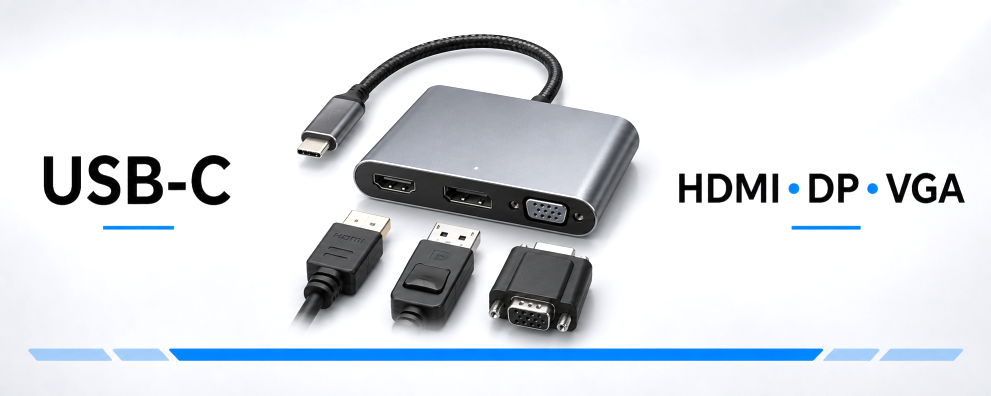
Connect your laptop, tablet or any other compatible USB-C device to existing displays. DINIC USB-C video adaptors and connection cables transmit video signals to HDMI, DisplayPort or VGA inputs – for office workstations, meeting rooms, training sessions and IT support.
Before choosing: The source device’s USB-C output must support video via DisplayPort Alt Mode. Then select the appropriate monitor connection, the required resolution and the suitable design. The achievable image quality depends on the entire connection.
USB-C to HDMI, DisplayPort and VGA for monitors and projectors

1 to 17 (from a total of 17)
Choosing the right USB-C monitor adapter
A USB-C to HDMI, DisplayPort or VGA adapter connects a source device to a display that has a different video connection. This allows you to continue using existing monitors and projectors when switching to USB-C laptops. First, check the input on the screen and the video output on your computer.
HDMI, DisplayPort or VGA: Which connection is right for you?
| Monitor port | Resolution of the available solutions | Typical use |
|---|---|---|
| USB-C to HDMI | Up to 4K at 60 Hz | Monitors, televisions and projectors with a digital HDMI input. |
| USB-C to DisplayPort (DP) | Up to 4K at 60 Hz | Office and workplace monitors with a DisplayPort input. |
| USB-C to VGA | Up to 1920 × 1080 at 60 Hz | Older monitors and projectors with an analogue VGA input. |
The figures given assume a suitable combination of source device, adapter or cable, and display. The technical specifications of the selected product are decisive.
Adapter, connection cable or multi-adapter?
- Adapter with HDMI, DP or VGA socket: suitable if a compatible monitor cable is already available or if different cable lengths are required.
- USB-C connection cables with HDMI or DP plugs: connect the source device directly to the screen. HDMI versions are available in 1 m or 2 m lengths; DisplayPort versions are available in 2 m lengths.
- USB-C multi-adapters: depending on the model, these supplement the HDMI output with USB-A, RJ45 network, card reader, audio or USB-C Power Delivery. Useful if multiple ports are required at your workstation.
Why does the USB-C port require DisplayPort Alt Mode?
DisplayPort Alt Mode enables the output of video signals via USB-C. The video solutions described here utilise this function. A port that supports only charging or USB data transfer will not display a monitor image via this connection. You should therefore check the video specifications of the specific port in the device manual – including for smartphones and tablets.
Note the signal direction: the intended connection is from the USB-C source device to the monitor’s HDMI, DisplayPort or VGA input. For the reverse direction, a cable or converter must be specifically designed for this purpose. A mechanically compatible connection alone is not sufficient.
What is required for 4K at 60 Hz, HDR and HDCP?
For 4K at 60 Hz, the computer, adaptor, any additional HDMI or DisplayPort cable (if required) and the selected monitor input must all support this operating mode. You should then set the desired resolution and refresh rate in the operating system.
Selected HDMI models support HDR and HDCP. HDR requires suitable content and compatible devices. For protected video content, the connection must support the required HDCP copy protection. Details of these features can be found in the relevant product description.
Are audio and charging power also transmitted?
HDMI and DisplayPort can transmit both video and audio, provided that both the source and the receiving device support this. If necessary, select the monitor or television as the audio output in the operating system. VGA transmits only the video signal; for audio, you will need a separate audio connection or speakers connected to the source device.
To charge your laptop at the same time, you will need a multi-adapter with a clearly labelled USB-C PD input, a suitable power supply and a compatible laptop. A simple USB-C-to-HDMI, DP or VGA adapter does not automatically offer this charging function. Please note the specifications regarding power delivery and the multi-adapter’s own power requirements.
What should you check if the monitor is not displaying an image?
- Does the USB-C port you are using support video output?
- Is the correct HDMI, DP or VGA input selected on the monitor?
- Are all connectors securely fitted, and does the additional monitor cable support the desired resolution?
- Is the external display enabled in the operating system and set to a supported display mode?
Accessories and packaging for commercial procurement
Depending on the item, polybag, DINIC box and blister pack options are available. Choose the option that suits your IT service distribution or presentation in specialist retail outlets. Details can be found in the overview of packaging types. Further connection solutions can be found under USB-C adaptors and hubs.
USB charging adapters for multi-adapters with PD input Complement a suitable docking solution with a USB-C power supply. Match the charging profile and power output to your laptop, multi-adapter and charging cable. View USB charging adapters →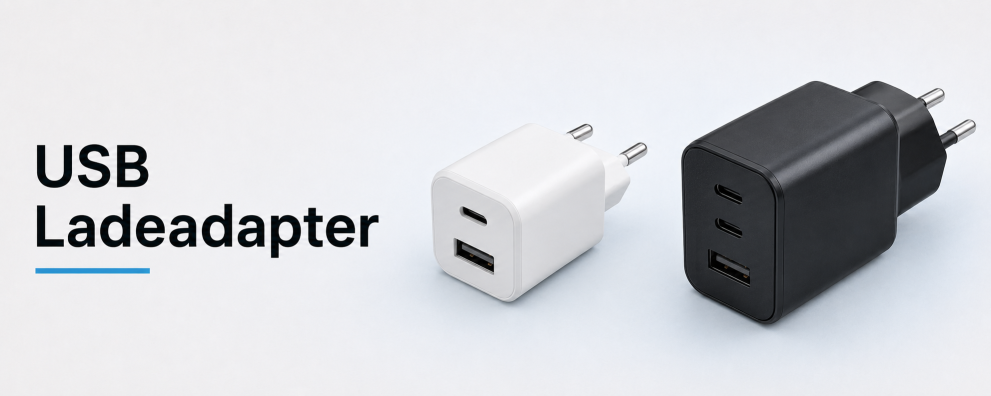 DINIC counter displays to complement your product range Expand your range of monitor accessories with selected USB-C cables and charging accessories for the counter or till. These display solutions support clear product presentation in specialist shops. View counter displays →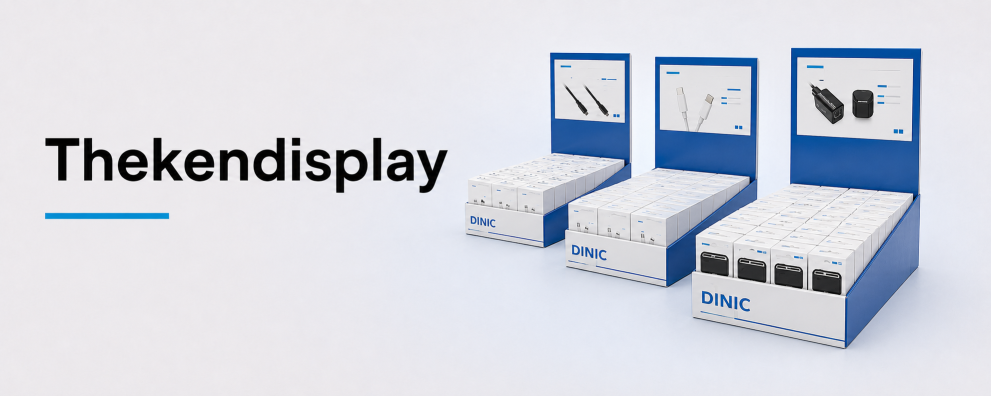
DINIC monitor connectors for your project
DINIC is a brand of MAG GmbH. Are you equipping workstations, meeting rooms or service cases? Tell us the source device, monitor connection, desired resolution and refresh rate, cable length and quantity required. We assist specialist retailers, system integrators and commercial users with their selection.
Request advice on USB-C monitor connectors