Thunderbolt and USB4 both use the modern USB-C connector, but they are not automatically the same. The key factors are speed, video support, PCIe tunnelling, Power Delivery and the specific combination of device, port, dock and cable.
The table is intended as a practical guide for purchasing and technical purposes. The data sheet, device connection, port symbol and cable marking are always decisive.
Practical note: A USB4 cable with 40 Gbit/s and 240 W can be very well suited to many modern setups. However, it does not turn a USB4 port into a Thunderbolt port. The device on the other end must also support the relevant function.
With USB-C cables, the connector shape alone is not enough. Specific details are crucial for stable performance: 40 Gbit/s or 80 Gbit/s, Power Delivery, E-Mark and the actual supported cable length.
Important: Long cables, active cables and very high data rates must be checked particularly carefully. Not every USB-C cable supports video, high-speed data and high charging power simultaneously.
The DINIC USB4 cable is a robust, universal solution for many modern USB-C set-ups: fast data transfer, high-power charging and versatile use with laptops, docks, monitors or external SSDs – depending on the device and port.
For commercial orders, resale, IT procurement and project requirements.
For individual purchases, personal use and smaller quantities in MAG GmbH’s retail shop.
No. USB-C refers to the connector type. USB4 describes the data standard. A USB-C cable or USB-C port can support a wide variety of functions.
Thunderbolt is particularly useful when you need to connect multiple monitors, high-quality docking stations, fast external SSDs, or when precise minimum requirements are essential.
USB4 is sufficient for many modern office, laptop, docking and data applications. It is important that the port, cable and device all support the required functions.
No. 240 W is only possible if the power supply, cable and device all support USB Power Delivery 3.1 EPR. The device will only draw the power it can negotiate and utilise.
An electronically marked cable can indicate important capabilities such as high current, Power Delivery and specific performance data. This is an important factor to consider when choosing cables for modern USB4 and PD setups.
Note: This page is intended for technical guidance. The specifications of the laptop, dock, monitor, power supply and cable remain authoritative.
Thunderbolt or USB4: Differences, benefits and choosing the right cable
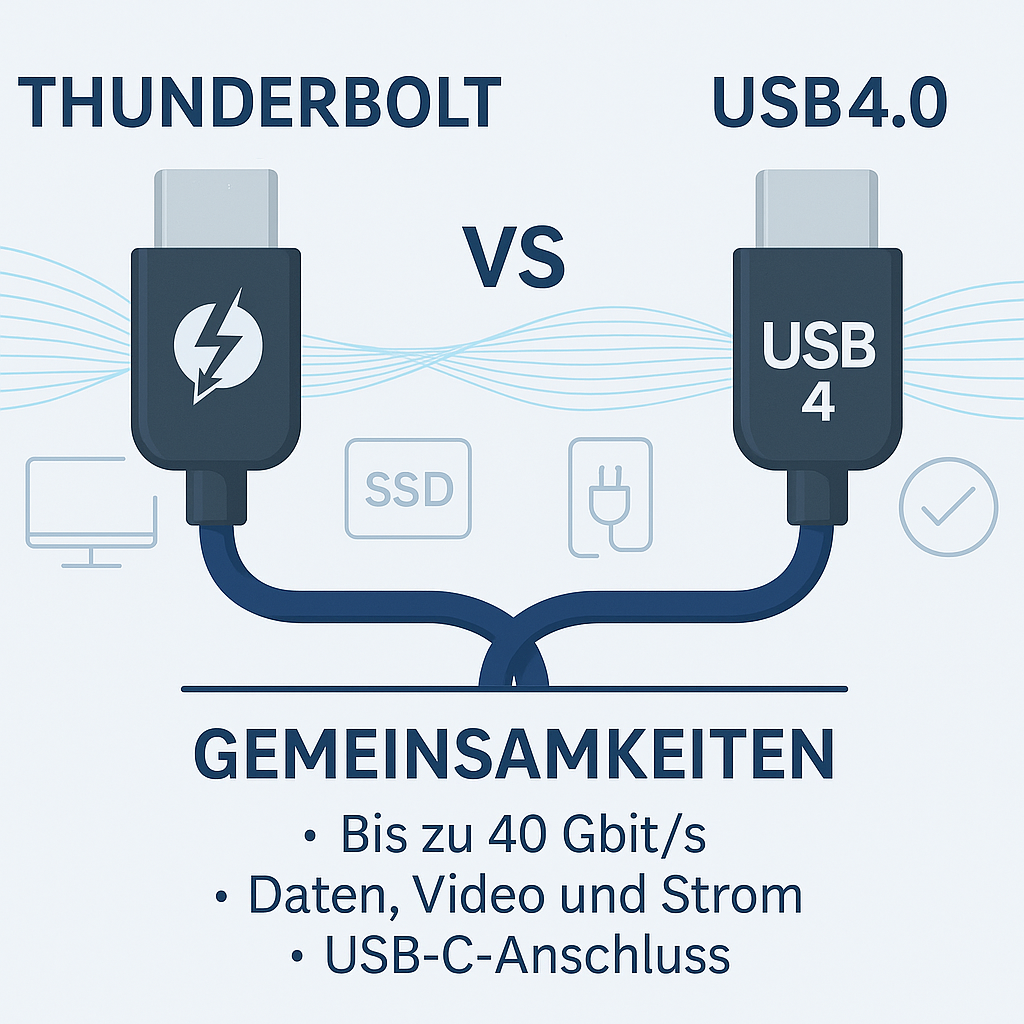
For docking, professional setups and predictable performance
For modern USB-C setups offering good value for money
Thunderbolt 4/5 and USB4 compared
Feature
Thunderbolt 4
Thunderbolt 5
USB4 / USB 40Gbps / USB 80Gbps
Connector
USB-C
USB-C
USB-C
Data rate
up to 40 Gbit/s
up to 80 Gbit/s, up to 120 Gbit/s in one direction depending on the mode
typically 20/40 Gbit/s; newer USB4 versions up to 80 Gbit/s with a suitable cable
Video
ideal for docking and multi-monitor setups
Designed for particularly demanding monitor and creator setups
Display support is possible, but depends on the host, device and cable
PCIe / external SSD
Very easy to plan for fast storage and docks
even more headroom for high data loads
Possible, but not implemented in the same way on every USB4 port
Charging
Possible via USB Power Delivery
Possible via USB Power Delivery
Possible via USB Power Delivery, up to 240 W with a suitable EPR chain
Typical choice
professional docks, multiple monitors, fast SSDs
High-end workstations, content creators, very high video/data workloads
Universal USB-C cables for everyday use, the office, modern laptops and accessories
What procurement and IT departments should look out for
Cable selection: data rate, length and charging power
DINIC USB4 cables for modern USB-C devices
FAQ: Thunderbolt, USB4 and USB-C explained briefly
Is USB-C the same as USB4?
When is Thunderbolt the better choice?
When is USB4 sufficient?
Does 240 W automatically mean that every laptop charges at 240 W?
Why is the E-mark important for USB-C cables?

B2B shop Retail, Trade & Industry
 German / Deutsch
  English
  French / Français
  Spanish / Español
  Dutch / Nederlands
  Italian / Italiano
  Polish / Polski
  Norwegian / Norsk
  Danish / Dansk
  Finnish / Suomi
  Swedish / Svenska
  Czech / Česky
  Greek / Ελληνικά
  Slovak / Slovenčina
  Slovenian / Slovenščina
  Estonian / Eesti
  Latvian / Latviešu
  Lithuanian / Lietuvių
  Hungarian / Magyar
  Romanian / Română
  Bulgarian / Български
  Portuguese / Português
Understanding USB-C
B2B Focus: Procurement, IT, Docking, Accessories – USB-C is merely the connector type; always check the specific features depending on the device
Quick guide to the key points
More like Thunderbolt
More like USB4
USB-C ≠ automatically USB4 – USB-C refers to the connector. Speed, video and charging power depend on the port, cable and device.
PD up to 240 W possible: USB Power Delivery 3.1 EPR enables up to 240 W – provided the power supply, cable and device support this.
E-mark is important: For high power and high data rates, appropriately specified, electronically marked cables are crucial.
Business customers: mag-kabel.de
Private customers: DINIC Shop