
 German / Deutsch
  English
  French / Français
  Spanish / Español
  Dutch / Nederlands
  Italian / Italiano
  Polish / Polski
  Norwegian / Norsk
  Danish / Dansk
  Finnish / Suomi
  Swedish / Svenska
  Czech / Česky
  Greek / Ελληνικά
  Slovak / Slovenčina
  Slovenian / Slovenščina
  Estonian / Eesti
  Latvian / Latviešu
  Lithuanian / Lietuvių
  Hungarian / Magyar
  Romanian / Română
  Bulgarian / Български
  Portuguese / Português
 How can I prevent a power cable from being accidentally unplugged?
An accidentally disconnected power cable can lead to an immediate interruption in the power supply for servers, network components, storage systems, PDUs, UPS systems, industrial PCs or other electrical equipment. Particularly in densely cabled racks, tension on the cable, maintenance work, movement or vibrations can place additional strain on a plug connection.
Which option is suitable depends on which IEC connector you are using, whether the existing cable is to be reused, and whether increased retention force or a true mechanical lock is required.
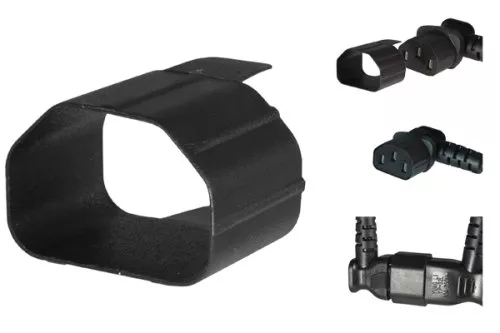
Why can power cables for audio/video equipment and IEC mains cables come loose unintentionally?
IEC power connections are often used reliably in everyday life for many years. However, in server racks, plant rooms, production facilities or mobile installations, additional mechanical stresses can occur. The cable does not necessarily have to be deliberately pulled out – even an unfavourable combination of tension, movement or maintenance work can put strain on the plug connection.
Tension on the cable
The weight of the cable, cable routing that is too tight, or the repositioning of cables can transmit tensile force directly to the connector.
Vibration and movement
In racks, machinery, industrial plants or mobile applications, repetitive movements can place mechanical stress on the connector.
Service and maintenance
When replacing neighbouring devices or cables, a power cable may be accidentally touched, moved or pulled along.
What options are available for securing a power cable against being pulled out?
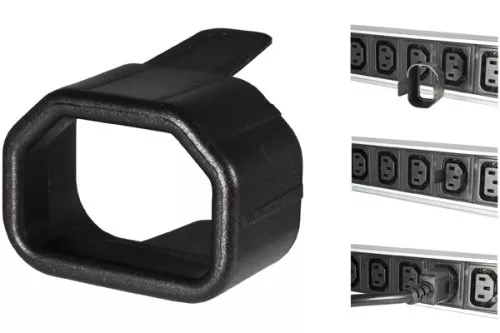
1. SecureSleeve slip-on sleeve
A SecureSleeve slip-on sleeve is slid onto the existing IEC connector. It increases the holding force between the connector and the mating connector.
The advantage: in many cases, the existing power cable does not need to be replaced.
- Available for C13, C14, C19 and C20
- Can be retrofitted without tools
- Existing cable can continue to be used
- Increases the holding force of the connector
- very little additional weight
- Colour options available depending on the version
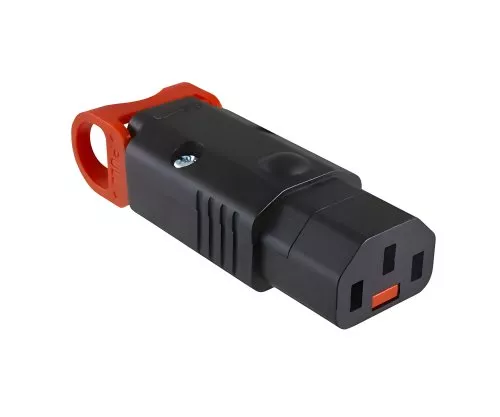
2. IEC-LOCK connectors
With IEC-LOCK, the locking mechanism is located directly within the connector. This means that the connection is not only held in place by increased friction, but is also mechanically secured against accidental disconnection.
- Integrated locking mechanism
- For professional IT and industrial applications
- C13 version compatible with C14 equipment inlets
- C19 version suitable for C20 equipment inlets
- Mountable and re-wiring solutions
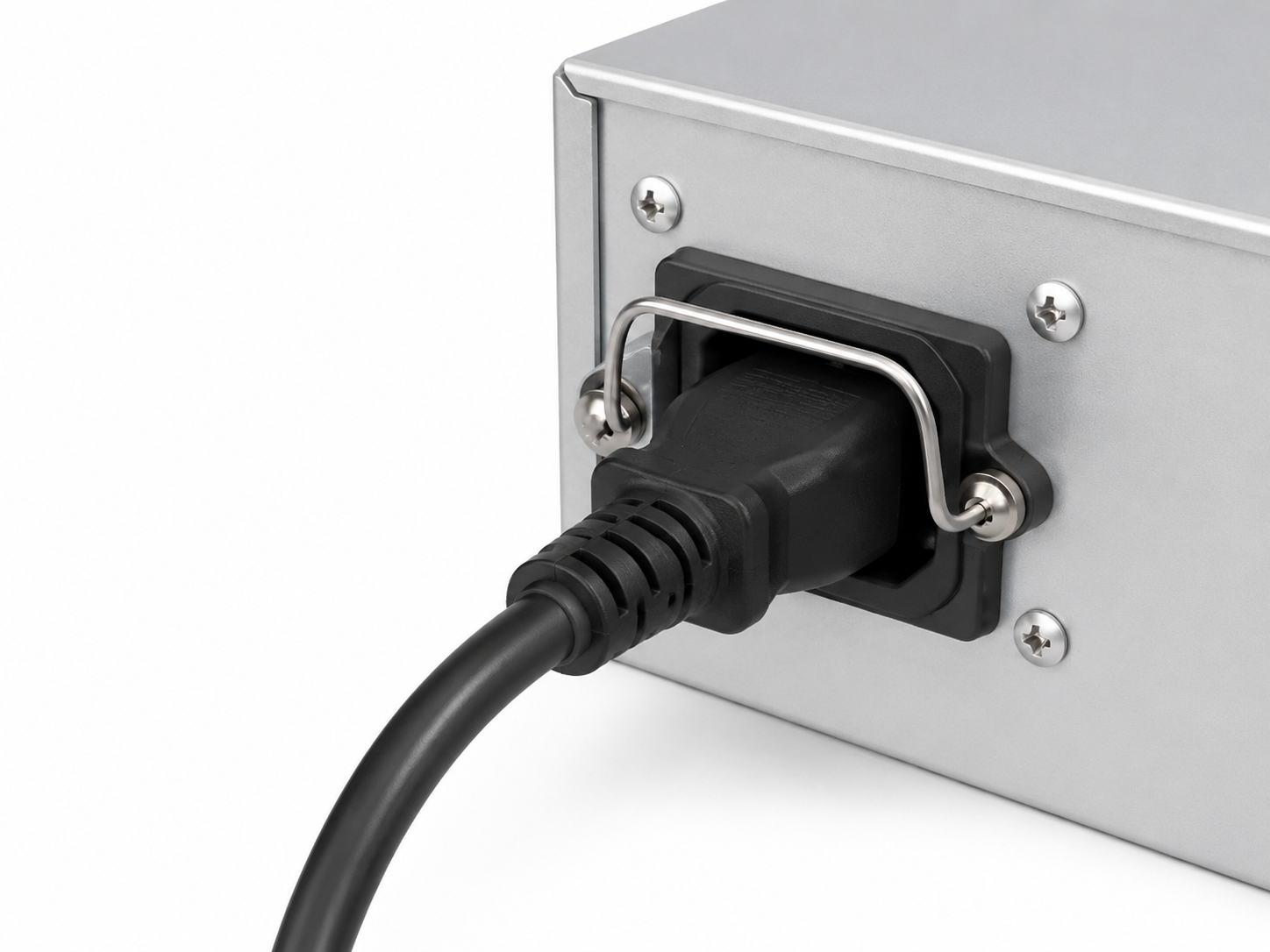
3. Retaining clip or cable holder
Some devices, PDUs or power distribution units have their own mechanical device to provide additional support for the connected cable.
- Direct mechanical securing to the device is possible
- Highly effective depending on the design
- Often device- or system-specific
- Cannot always be retrofitted
Slip-on sleeves for C13, C14, C19 and C20 – which one do I need?
The SecureSleeve slip-on sleeve is selected to match the connector onto which it is fitted. That is why there are different versions for IEC 60320 C13, C14, C19 and C20.
The two most common connector pairs are C13 with C14 and C19 with C20. Depending on which side of the cable the additional holding force is required, the appropriate SecureSleeve version is used.
C13 slip-on sleeve
For cables with an IEC 60320 C13 connector. A typical mating connector is a C14 equipment inlet.
Typical applications include servers, PCs, network devices and other IT components.
View SecureSleeve C13 →
C14 slip-on sleeve
For cables with an IEC 60320 C14 connector. A typical mating connector is a C13 socket, for example on a PDU or UPS.
Particularly useful for C13/C14 extension cables in a rack.
View SecureSleeve C14 →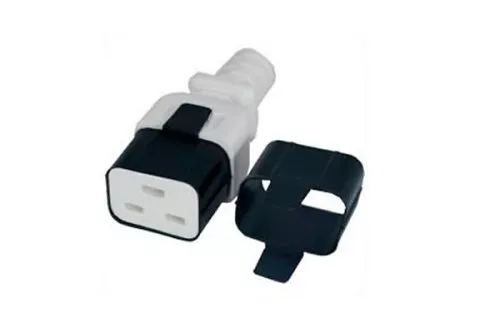
C19 slip-on sleeve
For cables with an IEC 60320 C19 connector. A typical mating point is a C20 equipment inlet.
C19/C20 connections are frequently used in higher-power IT and power distribution applications.
View SecureSleeve C19 →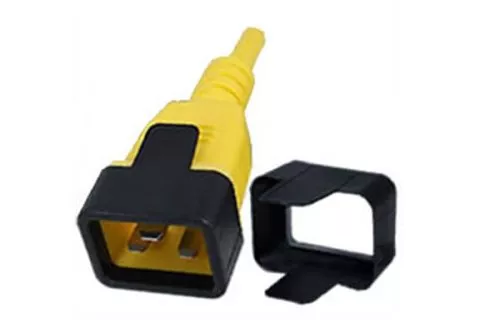
C20 slip-on sleeve
For cables with IEC 60320 C20 connectors. A typical mating connector is a C19 socket.
Suitable for securing corresponding C19/C20 power connections in rack, PDU and industrial environments.
View SecureSleeve C20 →| SecureSleeve | Fits onto | Typical mating connector | Example application |
|---|---|---|---|
| C13 | C13 coupler on the cable | C14 equipment inlet | Server, PC, switch, storage |
| C14 | C14 connector on the cable | C13 socket | PDU, UPS, C13/C14 extension lead |
| C19 | C19 coupler on cable | C20 equipment inlet | Higher-power IT equipment, PDU, UPS |
| C20 | C20 connector on the cable | C19 socket | PDU and power distribution applications |
Additional benefit: securing power cables whilst colour-coding them
Coloured SecureSleeve sleeves can fulfil a second practical function in addition to providing increased retention force: the clear visual identification of a power connection.
Particularly in server racks, data centres, technical rooms and control cabinets, there are often numerous similar-looking power cables situated close together. Colour-coding directly on the connector can make identification easier during installation, maintenance and troubleshooting.
Example: Power path A
Example: Power path B
Example: Special supply
Example: Standard supply
Typical options for colour coding
| Application | Possible labelling | Practical benefits |
|---|---|---|
| Redundant power supply | Different colours for PDU A and PDU B | Faster identification of power supply routes |
| Device groups | A different colour for each server, network or device group | Clearer maintenance and documentation |
| Prioritised loads | Distinctive colour for particularly important connections | Reduced risk of mix-ups during maintenance work |
| Rack or cabinet allocation | Colour code per area or installation | Easier visual orientation |
SecureSleeve or IEC-LOCK – what is the difference?
Both systems share the same fundamental aim: to prevent an IEC power connection from becoming disengaged unintentionally. Technically, however, the systems operate differently.
| Criterion | SecureSleeve | IEC-LOCK | Device-side retainer |
|---|---|---|---|
| Operating principle | Increased holding force | Mechanical locking | Mechanical fixation |
| Reuse existing cable | Yes | depending on the model | usually yes |
| Tool-free retrofitting | Yes | For mountable connectors: no | Depends on the system |
| Versions C13 / C14 / C19 / C20 | Yes | C13 and C19 in the MAG range | Depends on the system |
| Colour coding | Depending on the version | Not a primary function | System-dependent |
| Suitable for easy retrofitting | Very good | Good for planned cable routing | Varies |
Which solution is right for my application?
IEC-LOCK for C13/C14 and C19/C20
If a mechanical locking mechanism is required directly within the connector, DINIC offers corresponding IEC-LOCK solutions. The C13 version is designed for C14 equipment inlets; for higher-power connections, a C19 version is available for C20 equipment inlets.
IEC-LOCK C13
Mountable and re-wired C13 connector with integrated locking mechanism for C14 equipment inlets.
View IEC-LOCK C13 →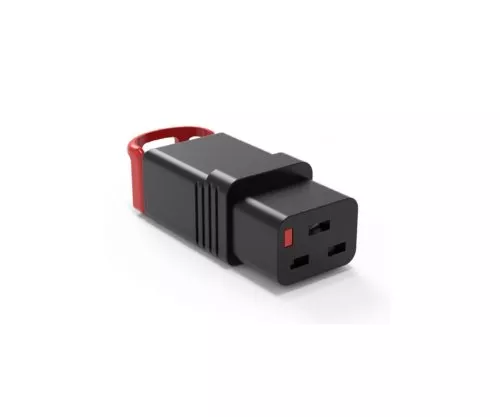
IEC-LOCK C19
Mountable C19 connector with integrated locking mechanism for C20 equipment inlets.
View IEC-LOCK C19 →SecureSleeve or IEC-LOCK?
SecureSleeve is particularly suitable when an existing cable needs to be retrofitted easily.
IEC-LOCK is a good option if a locking mechanism is required as an integral part of the connector.
The key factors are the existing connection, the desired level of protection and the specific application.
Laying power cables correctly: avoid putting strain on the connection wherever possible
A slip-on sleeve or locking mechanism is only one part of a reliable installation. The cable routing should also be designed to minimise mechanical stress on the equipment connection.
Sufficient cable length
The mains cable should not be routed under constant tension between the PDU and the device.
Route cables sensibly
Cable routes and cable management should prevent the weight of multiple cables from bearing down on individual connectors.
Label connections
Clear labelling reduces the risk of accidentally moving the wrong cable during maintenance work.
Frequently asked questions about securing IEC power cables
How can I prevent a C13 mains cable from being accidentally unplugged?
One simple option is a SecureSleeve slip-on sleeve for C13. It is fitted onto the existing C13 coupling and increases the holding force in the C14 mating connector. Alternatively, a C13 IEC-LOCK connector with a mechanical lock can be used.
Are SecureSleeve sleeves only available for C13?
No. The DINIC range includes SecureSleeve sleeves for IEC 60320 C13, C14, C19 and C20. The sleeve must be selected to match the connector onto which it is fitted.
What is the difference between a C13 and a C14 slip-on sleeve?
The C13 slip-on sleeve is fitted onto a C13 coupler, which is usually connected to a C14 appliance inlet. The C14 slip-on sleeve, on the other hand, fits onto a C14 plug, for example on a C13/C14 extension lead for connection to a C13 socket on a PDU or UPS.
What are C19 and C20 sleeves used for?
C19 and C20 are frequently used for higher-power IEC power connections. The C19 SecureSleeve is fitted onto a C19 coupler, which is typically connected to a C20 appliance inlet. The C20 version is designed for a C20 connector.
Do I need to replace the power cable to use a SecureSleeve?
Generally speaking, no. The main advantage of the SecureSleeve solution is that it can be fitted onto the appropriate existing connector. This makes it particularly suitable for retrofitting existing installations.
Is a SecureSleeve slip-on sleeve a locking mechanism?
SecureSleeve and IEC-LOCK work differently. SecureSleeve increases the retention force of the plug connection. IEC-LOCK, on the other hand, has an integrated mechanical locking function. Which solution is more suitable depends on the application.
Does the IEC-LOCK C13 require a special C14 equipment inlet?
The mountable IEC-LOCK C13 version available in the DINIC range is designed for IEC 60320 C14 appliance inlets. This means the locking mechanism can be used on compatible C14 appliance sockets.
Can I use coloured SecureSleeves to identify PDU A and PDU B?
Yes. Coloured SecureSleeves can be used, in addition to their mechanical function, to visually distinguish between redundant power paths, groups of equipment or other defined supply areas. The internal colour coding system should be clearly documented.
Which sleeve do I need for my cable?
Check the IEC connector directly on the cable. A C13 sleeve is required for C13, a C14 sleeve for C14, a C19 sleeve for C19 and a C20 sleeve for C20. It is not just the remote end that matters, but also the connector on which the SecureSleeve is fitted.
Select a slip-on sleeve or locking mechanism for your IEC power connection
With SecureSleeve slip-on sleeves for C13, C14, C19 and C20, existing IEC power connections can be easily retrofitted and, depending on the version, additionally colour-coded. Alternatively, IEC-LOCK offers a mechanical locking mechanism integrated directly into the connector.
View SecureSleeve and IEC-LOCK products