
 German / Deutsch
  English
  French / Français
  Spanish / Español
  Dutch / Nederlands
  Italian / Italiano
  Polish / Polski
  Norwegian / Norsk
  Danish / Dansk
  Finnish / Suomi
  Swedish / Svenska
  Czech / Česky
  Greek / Ελληνικά
  Slovak / Slovenčina
  Slovenian / Slovenščina
  Estonian / Eesti
  Latvian / Latviešu
  Lithuanian / Lietuvių
  Hungarian / Magyar
  Romanian / Română
  Bulgarian / Български
  Portuguese / Português
 USB-C to USB 3.0 Micro-B cable from DINIC
DINIC · For retail, commerce and industry
Connect external hard drives, compatible SSD enclosures and other devices with a USB 3.0 Micro-B socket directly to a USB-C computer. DINIC USB-C to Micro-B 3.0 cables are ideal for file transfer, data backup and IT support – even when switching to a new workstation with USB-C.
Choose the length and packaging to suit your application. Before ordering, check the wide, two-piece Micro-B 3.0 socket on the end device and the supported data rate of the USB-C port.
USB-C to Micro-B 3.0 cable for external hard drives
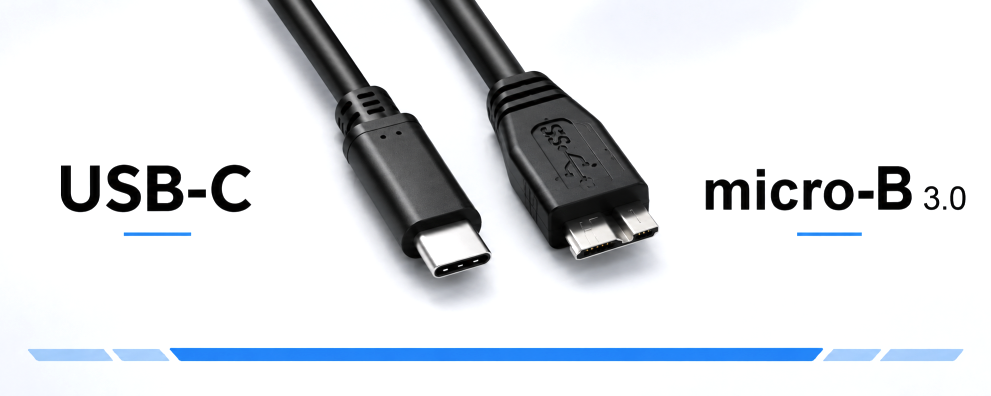

USB-C to Micro-B 3.0: suitable cables for storage devices and peripherals
Many external USB 3.0 hard drives and drive enclosures have a Micro-B 3.0 port. A USB-C to USB 3.0 Micro-B cable connects these devices to a laptop, PC or a docking station with a USB-C data port. This allows you to continue using existing storage media for backups, data transfers and daily file transfers.
What length, colour and packaging do you require?
| Model | Packaging | Typical use |
|---|---|---|
| 0.5 m · Black | DINIC polybag | Short connection to the drive right next to the computer. |
| 1 m · Black | DINIC polybag | Workstation, service case and various device connections. |
| 2 m · Black | DINIC polybag | Greater distance between the computer and the peripheral device. |
| 1 m · White | DINIC box with Euro-hole | Visible cabling and hook display in specialist shops. |
Measure the actual route and allow for a small margin. The cable should rest on the Micro-B connector without any tension. Choose a length suitable for the installation and avoid unnecessary extensions.
What does a data rate of up to 5 Gbit/s mean?
The cables support the 5 Gbit/s speed class, also known as USB 3.0, USB 3.1 Gen 1 or USB 3.2 Gen 1. To achieve this data rate, the USB-C port and the connected device must support the relevant standard.
In practice: 5 Gbit/s is the maximum data rate of the interface, not a guaranteed copy speed. The drive, enclosure electronics, computer, any hubs in the chain and the files being transferred all affect the actual throughput. A faster USB-C socket will not increase the data rate of this cable beyond 5 Gbit/s.
Is the cable compatible with an external HDD or SSD?
The key factor is the socket on the drive enclosure. If it has the wide USB 3.0 Micro-B form factor, a suitable cable from this category can be used. Whether the enclosure contains an HDD or an SSD does not determine the choice of connector. Compatible card readers, docking stations and measuring devices with this socket can also be connected.
Is the hard drive powered via the USB cable?
For devices designed for this purpose, power can be supplied via USB; provided that the port used supplies sufficient power for the device. Drive enclosures and other devices with a specified dedicated power supply unit still require their own separate power supply. Please follow the instructions provided by the device manufacturer.
Micro-B 3.0, Micro-B 2.0 or USB-C on the host device?
The Micro-B 3.0 plug is wider than the smaller Micro-B 2.0 plug and will not fit into the narrower socket. You should therefore compare the connector shape on the device with the product image. For other sockets, the following categories are available:
- USB-C to Micro-B 2.0 cables for devices with a narrow Micro-USB socket.
- USB-C to USB-C cables for devices with a USB-C socket. Please ensure the data rate required for your data transfer is supported.
Packaging for service, project business and specialist retailers
The black versions in the DINIC polybag are suitable for stock management, order picking and distribution in IT service centres. The white 1-metre version in the DINIC box with Euro-hole can be displayed on a sales hook. Further details can be found in our overview of packaging types.
Expand your range of accessories in specialist shops
In addition to connection cables for external storage devices, at MAG you’ll find accessories for smartphones and tablets, as well as solutions for product display:
DINIC counter displays for your sales area Display selected USB-C cables and charging accessories clearly at the counter or till. Choose a display to suit your product range and sales area. View counter displays →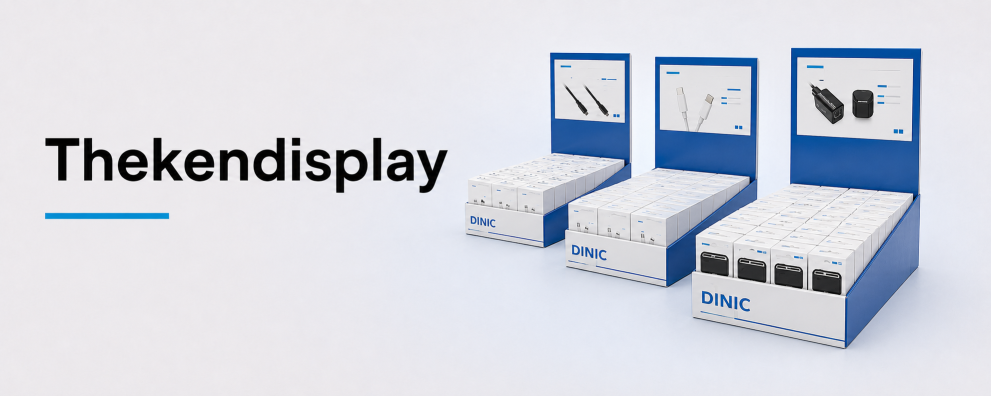 USB charging adaptors for smartphones and tablets
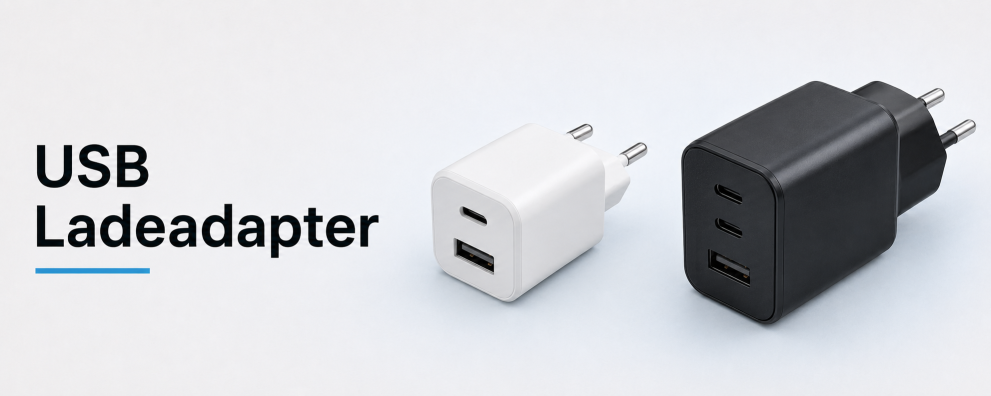
Expand your range of charging accessories with USB power adaptors. Match the
connector, output power and supported charging method
to the respective mobile device and charging cable.
View USB charging adapters →
USB charging adaptors for smartphones and tablets
Expand your range of charging accessories with USB power adaptors. Match the
connector, output power and supported charging method
to the respective mobile device and charging cable.
View USB charging adapters →
DINIC USB cables for commercial procurement
DINIC is a brand of MAG GmbH. Do you need replacement cables for external drives, standardised equipment for your IT service department, or stock for your range of accessories? Please let us know the device connection, cable length, packaging and quantity. We assist specialist retailers, system integrators and commercial users with their selection.
Request advice on USB-C to Micro-B 3.0 cables