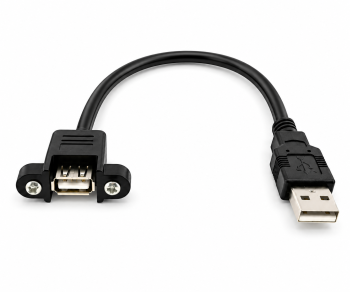
30 cm
Item: USB-AA-MFS-03
For short cable runs between a USB-A port and the front panel.
View the 30 cm installation cable
 German / Deutsch
  English
  French / Français
  Spanish / Español
  Dutch / Nederlands
  Italian / Italiano
  Polish / Polski
  Norwegian / Norsk
  Danish / Dansk
  Finnish / Suomi
  Swedish / Svenska
  Czech / Česky
  Greek / Ελληνικά
  Slovak / Slovenčina
  Slovenian / Slovenščina
  Estonian / Eesti
  Latvian / Latviešu
  Lithuanian / Lietuvių
  Hungarian / Magyar
  Romanian / Română
  Bulgarian / Български
  Portuguese / Português
MAG B2B · Equipment Manufacturing and System Integration
Would you like to install a USB socket in an enclosure, a front panel or a control panel? A USB mounting cable routes an existing USB connection to an easily accessible position and allows the socket to be securely fixed in place.
Here you will find suitable DINIC standard products, installation diagrams and the key selection criteria: connector type, screw spacing, cut-out dimensions, installation depth and cable length.
For an existing USB-A port on a computer or USB hub and a permanently fitted USB-A socket on the front of the device, a USB-A plug connected to a screw-mounted USB-A socket is suitable. The DINIC cables shown below support USB 2.0 and have a screw spacing of 26 mm. Before ordering, ensure that the housing cut-out, panel thickness, installation space and cable length are suitable for the application.
An internal motherboard header is not a USB-A port. For this connection, a version is required that matches the connector and pinout of the respective motherboard.
01 · Select standard items
All three variants feature a straight USB-A plug and a screw-mounted USB-A socket. They support USB 2.0 at speeds of up to 480 Mbit/s and are backwards compatible with USB 1.1. Select the length based on the actual cable route within the device.
Item: USB-AA-MFS-03
For short cable runs between a USB-A port and the front panel.
Item: USB-AA-MFS-05
If the connection is further away from the intended installation position.
Item: USB-AA-MFS-1
For longer internal cable runs within the planned USB connection.
Please refer to the relevant product page for the latest technical specifications, prices and availability. The product images are not to scale.
02 · Understanding the installation principle
03 · Check mechanical fit
For these three items, the 26 mm refers to the distance between the two fixing points, measured from centre of hole to centre of hole. The required housing opening, the permissible panel thickness or the installation depth cannot be derived from this.
04 · Matching function and cable routing
The three installation cables presented here support USB 2.0 at speeds of up to 480 Mbit/s. The shape of a USB-A socket alone does not indicate the available data rate.
For USB 3.x data rates, the host, connection and peripheral must be designed to support them. Further details can be found in the section on USB 3.0 cables; suitability for front-panel mounting must be checked separately.
Measure along the actual route, including any bends and allowing for a reasonable connection reserve. An unnecessarily long cable takes up extra space.
Consider the entire connection, including the external device cable and any additional connectors. An extension cable does not extend the possible USB distance indefinitely.
Check the power supply: For USB-powered peripherals, the power supply of the host port or hub, the device’s power requirements and the entire cable connection must be compatible. Test functionality with the intended device before series production is authorised.
For a USB-C embedded solution, the connector type, data rate, charging power and any required video transmission must also be specified. MAG can assess these requirements on a project-by-project basis as part of a bespoke USB cable design.
05 · Development, procurement and mass production requirements
Standard products can serve as a suitable starting point for device fronts, control panels, kiosk systems, rack fronts and service connections. If you require different lengths, connector combinations, angled plugs or labelling, MAG will assess a bespoke design.
Providing the following details will enable us to process your enquiry efficiently:
For bespoke products, you can also send drawings and photos to sonderanfertigung@mag-kabel.de. Feasibility, minimum order quantity and lead time will be assessed for the specific design.
Frequently asked questions
A USB mounting cable is a connection with an additional mounting option for the socket. With the DINIC models shown, the USB-A socket can be secured to a suitable front panel or bezel using two screws. A standard USB extension cable does not usually feature this screw-fixing option.
No. The spacing depends on the specific design. The DINIC items USB-AA-MFS-03, USB-AA-MFS-05 and USB-AA-MFS-1 have a centre-to-centre distance of 26 mm. Even with the same screw spacing, the cut-out, panel thickness and space behind the faceplate must be suitable for the specific product.
These dimensions must be determined using the product drawing or a sample. The screw spacing of 26 mm does not specify the size of the cut-out. The installation depth must also include space for the socket body and sufficient clearance for the cable outlet. The sketches on this page are for guidance only and are not production drawings.
The three cables shown require a suitable USB-A socket on the system side. An internal motherboard header has a different connector shape and pinout. To find a suitable solution, we need the exact header type or motherboard model, preferably together with a photo and the connection documentation.
If the USB-A port and the connected peripheral support USB 2.0, a connection at USB 2.0 data rates is possible. The cable supports up to 480 Mbit/s. This USB 2.0 cable does not support USB 3.x data transfer.
The screws secure the mounting socket to the front panel. They do not lock the USB plug inserted from the outside. If your application requires a plug lock or additional strain relief, this requirement must be taken into account when selecting the installation solution.
A screw-mounted fitting alone does not constitute an IP protection rating. No dust- or water-tightness is guaranteed on this page for the standard cables presented here. If your application requires a specific protection rating, the complete installation solution – including the housing opening and sealing – must be adapted accordingly.
MAG can assess alternative lengths, connector combinations and panel-mount versions on a project-by-project basis. In your enquiry regarding custom-made USB cables, please specify the required functions, installation dimensions and quantities. For USB-C, the data rate, charging power and, where applicable, video transmission must be specified separately.
USB mounting cables for enclosure installation
Example: DINIC USB-AA-MFS-03, 30 cm
USB 2.0 up to 480 Mbit/s
26 mm screw spacing, centre-to-centre
30 / 50 / 100 cm – three standard lengths
2 screws pre-fitted to the socket
Which USB mounting cable is suitable for my device?
USB assembly cables in 30 cm, 50 cm and 1 m
30 cm
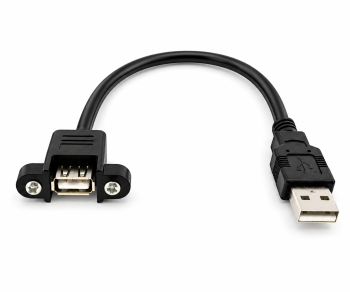
50 cm
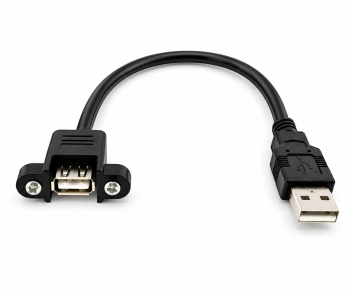
1 m
How to connect the device to the front socket
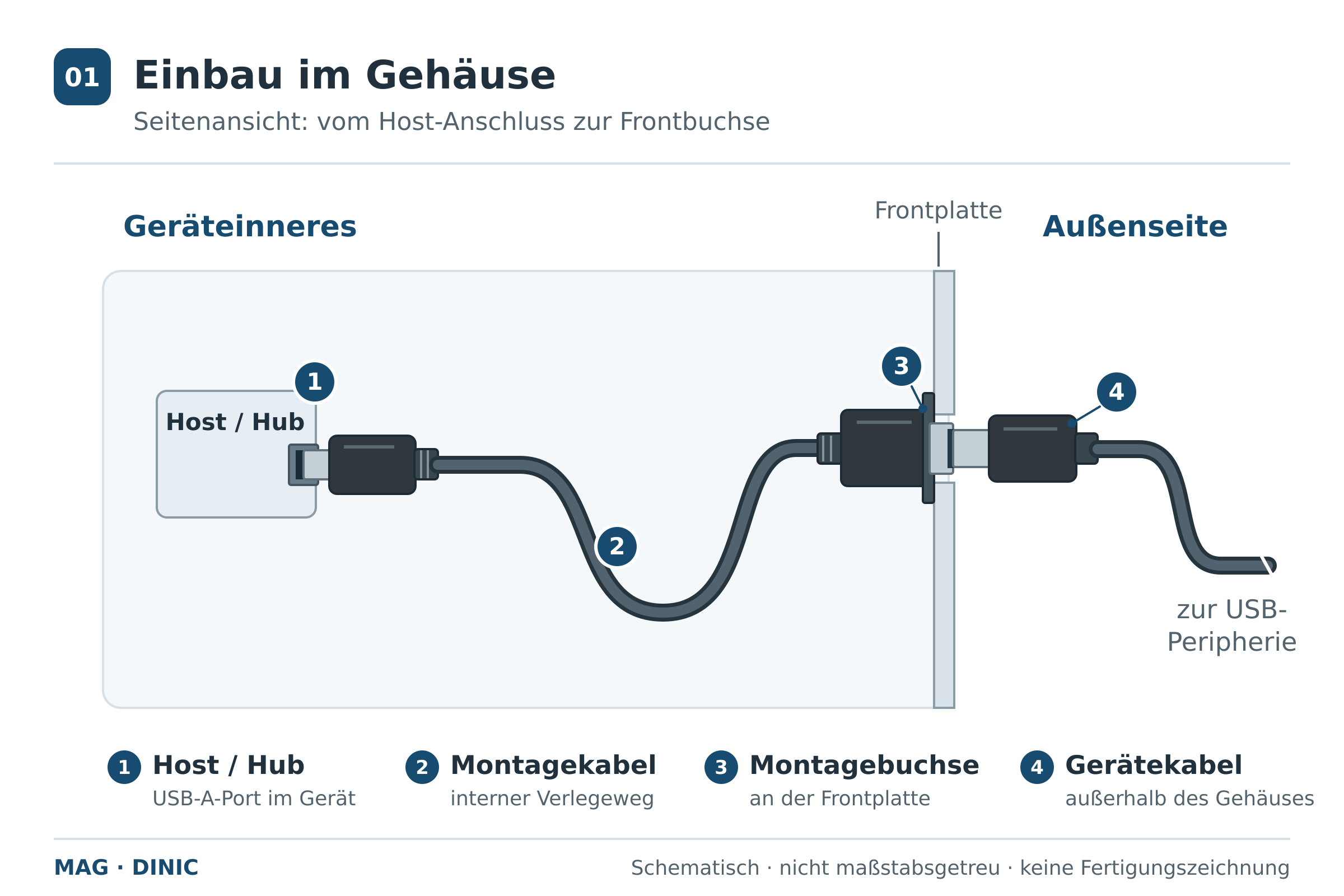 Enlarge side view
A 26 mm screw spacing is not a cut-out dimension
Checkpoint
What to look out for
Mounting points
For USB-AA-MFS-03, USB-AA-MFS-05 and USB-AA-MFS-1: 26 mm spacing. Coordinate the position and design of the fixings with the front panel.
Housing cut-out
Determine the width, height and outline using the product drawing or a sample. The photograph is not a substitute for a drilling template.
Panel thickness
Check the mounting position and usable screw length together. Do not assume general suitability for any wall thickness.
Installation depth and cable outlet
Allow space for the socket body, the cable and adjacent components. Route the cable without tension, crushing or sharp bends.
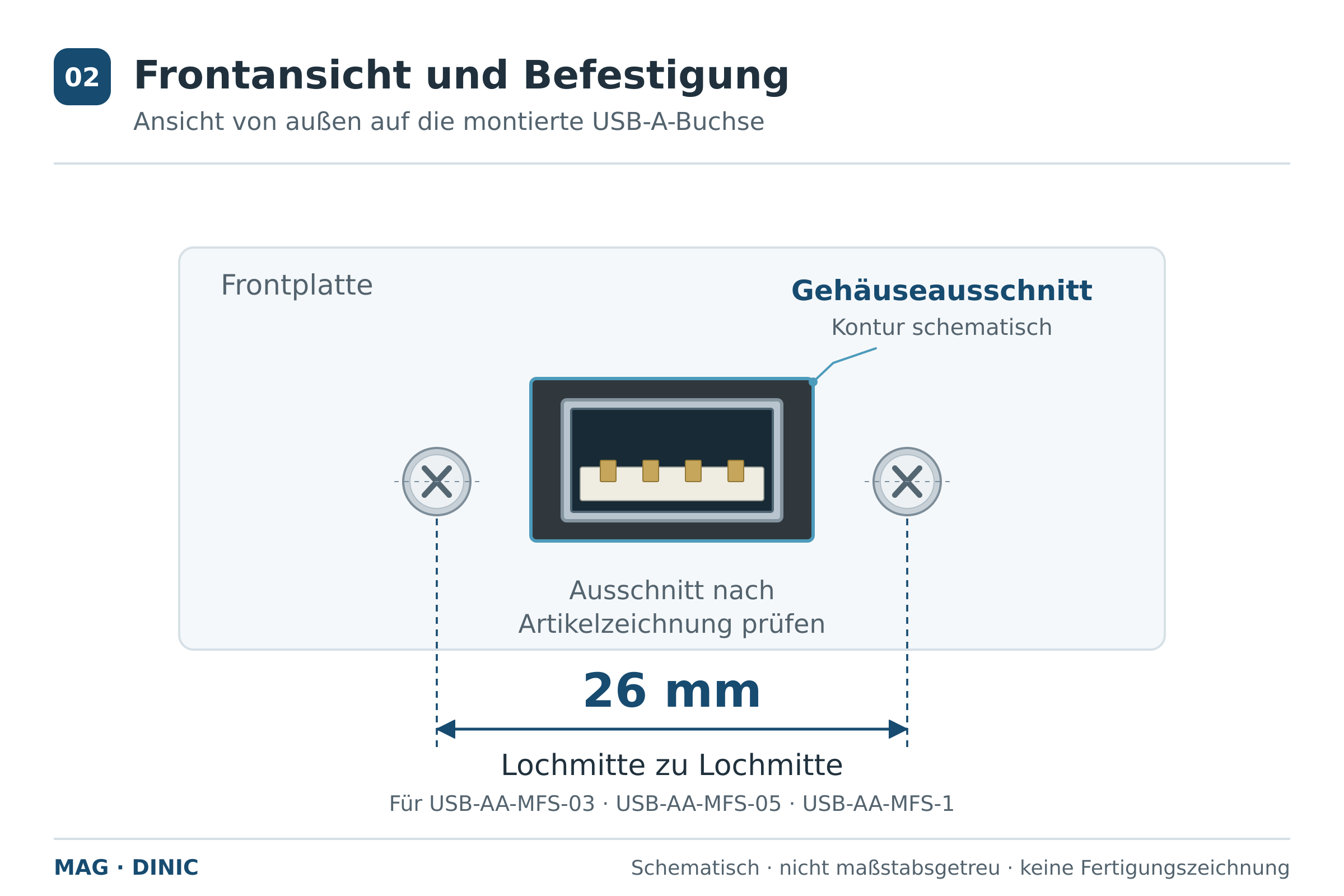 Enlarge front view
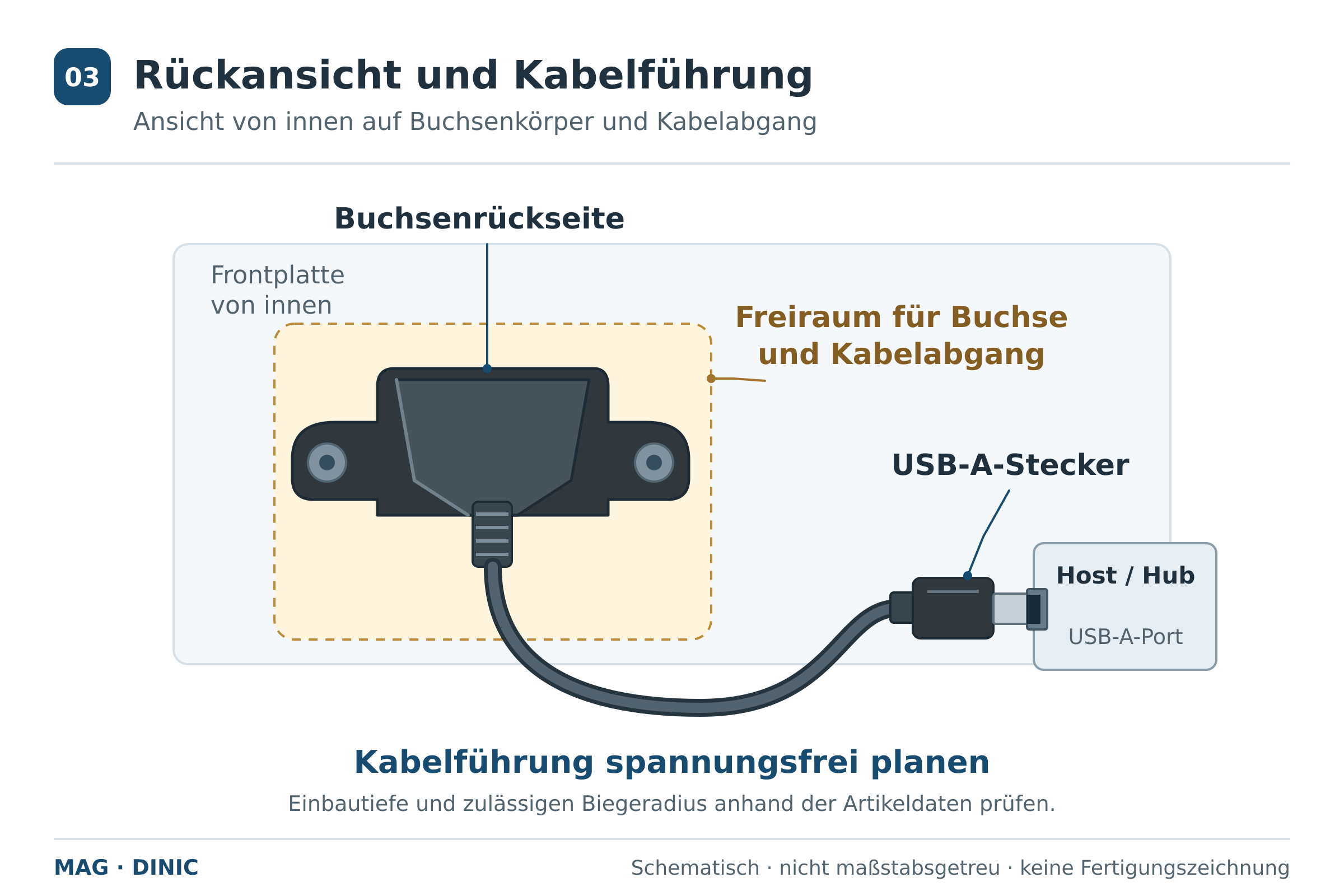 Enlarge rear view
USB version, cable length and power supply
What data transfer rate is required?
How much cable length is required?
Tailoring an installation solution for your project
USB built-in sockets and assembly cables
What is the difference between a USB mounting cable and a USB extension cable?
Is a screw spacing of 26 mm standard for USB flush-mounted sockets?
What cut-out and installation depth should I allow for?
Can I connect the installation cable directly to a motherboard header?
Will the USB 2.0 installation cable work on a USB 3.x port?
Does the screw connection also secure the inserted USB plug?
Is the fitted USB socket dust- or watertight?
Are other lengths, angled connectors or USB-C options available for installation?