OM3 and OM4 are multimode fibres for short to medium-length fibre-optic links. OS2, on the other hand, is a single-mode fibre and is particularly suitable for longer distances, FTTH, campus and backbone connections.
Which fibre is actually the right choice depends not only on the desired data rate. Key factors include, in particular, distance, existing infrastructure, transceivers, the Ethernet standard, connectors and the optical loss budget.
Particularly useful if OM3 is already installed.
Often the preferred choice for new multimode links.
For long distances and single-mode infrastructures.
OM3 is a laser-optimised 50/125 µm multimode fibre and is still installed in many existing corporate networks and data centres.
For 10GBASE-SR, distances of up to around 300 m are typically possible using OM3. OM3 is therefore particularly suitable when existing OM3 cabling needs to be extended, repaired or patched.
For a completely new multimode cabling installation, however, you should check whether OM4 is the more cost-effective solution due to its higher modal bandwidth and additional reach reserve.
OM4 also uses a 50/125 µm multimode fibre structure, but offers a higher effective modal bandwidth than OM3.
OM4 is therefore particularly suitable for:
OS2 differs fundamentally from OM3 and OM4. Instead of a 50/125 µm multimode fibre, OS2 uses a 9/125 µm single-mode fibre.
Single-mode transmission enables significantly greater transmission distances. Typical applications include:
A typical example is 10GBASE-LR: with suitable single-mode transceivers, ranges of up to approximately 10 km are possible via OS2. Other single-mode standards each have their own ranges.
In multimode fibres, several light modes can propagate within the fibre core. They are primarily used for short and medium-range data connections within buildings and data centres.
Both OM3 and OM4 have a core diameter of 50 µm. OM4 offers additional performance headroom due to its higher modal bandwidth.
OS2 has a significantly smaller fibre core of approximately 9 µm and transmits virtually only one light mode.
This means that, with suitable single-mode transceivers, considerably greater distances are possible. Typical applications range from FTTH to campus, WAN and backbone links.
Fibre type and connector type are two different characteristics. OM3, OM4 and OS2 describe the optical fibre. LC, SC, ST and MPO/MTP, on the other hand, refer to connector systems.
PC, UPC and APC, in turn, describe the finish or polish of the optical fibre end face.
For 10GBASE-SR, a classic two-fibre connection with a duplex LC connector is frequently used. However, for higher data rates, different optical concepts may be employed.
One important example is 40GBASE-SR4. This standard typically utilises parallel optics and multiple fibres. MPO/MTP is typically used for this instead of a standard duplex LC cable.
The same applies to 100 Gigabit: depending on the 100G Ethernet standard, the required number of fibres, range and connector type can vary significantly.
In principle, yes. OM3 and OM4 are both 50/125 µm multimode fibres and can be connected to one another within a multimode infrastructure.
However, for reliable performance planning, a uniform fibre type should be used wherever possible. In the case of a mixed link, performance should be based on the weakest section.
Not as a standard end-to-end Ethernet link. OM4 is multimode, whilst OS2 is single-mode. Both normally require different optical transceivers.
A multimode SFP for OM4 should therefore not simply be connected to an OS2 single-mode link – and vice versa.
No. OS2 allows for longer reach, whilst OM4 is very well suited to many short and medium-range high-speed connections within buildings and data centres.
The technically and economically appropriate solution depends on the project:
OM3 and OM4 multimode fibre are suitable for 10GBASE-SR. OM3 typically allows for distances of up to around 300 m, whilst OM4 allows for distances of up to around 400 m. For longer distances, OS2 can be used in conjunction with suitable 10GBASE-LR transceivers, for example.
40GBASE-SR4 typically achieves ranges of up to around 100 m over OM3 and up to around 150 m over OM4. Standard SR4 uses parallel optics and usually MPO/MTP connector systems. For longer distances, corresponding single-mode solutions are available on OS2.
That depends on the 100 Gigabit Ethernet standard used. For example, 100GBASE-SR4 typically achieves a range of around 70 m over OM3 and 100 m over OM4. Other 100G optical modules have different ranges and connectors. OS2 single-mode fibre is often used for longer distances.
OM4 has a higher modal bandwidth and offers additional range reserve in many multimode applications. OM3 may still be a sensible choice where an existing OM3 infrastructure is in place; however, OM4 is often preferred for new multimode links.
OM4 is a 50/125 µm multimode fibre for short and medium-range high-speed connections. OS2 is a 9/125 µm single-mode fibre and, when used with suitable transceivers, enables significantly greater transmission distances.
No. OM4 is a 50/125 µm multimode fibre. OS2 is single-mode, with a diameter of approximately 9/125 µm.
FTTH and FTTB connections typically use OS2 single-mode fibre. Depending on the installation, connectors such as SC/APC or LC/APC are used.
OS2 single-mode fibre is used for typical direct FTTH router connections. In addition, the connectors must be compatible with the router or fibre module and the fibre terminal adapter (FTA), for example LC/APC to LC/APC or LC/APC to SC/APC.
No. LC is simply a connector type. An LC connector can be used with OM3, OM4 or OS2. The fibre type and connector type must be selected separately.
In principle, yes, as both use 50/125 µm multimode fibre. However, the power budget should then be calculated based on the weakest link in the route.
Not as a standard end-to-end optical Ethernet link. OM4 and OS2 use different fibre technologies and, normally, different transceivers.
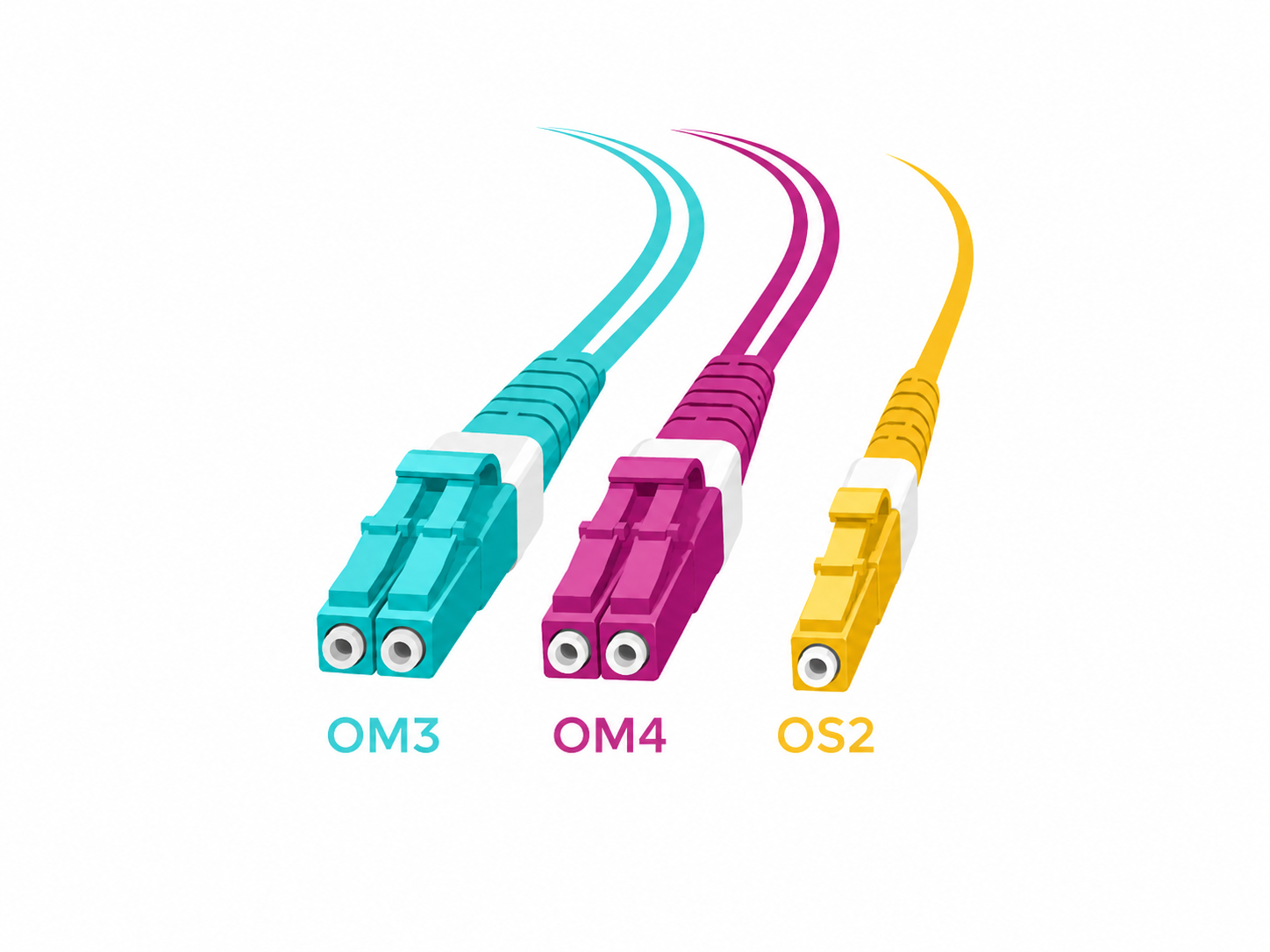
OM3 is often colour-coded aqua or turquoise, OM4 is often aqua or erica violet, and OS2 is often yellow. However, the colour is only a guide. The actual technical specification of the cable is always the decisive factor.
OM4 multimode for professional network and data centre connections, robust outdoor fibre-optic solutions, and OS2 single-mode for FTTH, routers and longer distances.
OM3, OM4 or OS2 – which type of fibre do I need?
Tried-and-tested multimode
Greater performance headroom
Single-mode for long distances
Quick decision: Which fibre should I choose?
OM3 may still be a sensible choice if the existing fibres and transceivers are designed for OM3.
OM4 offers greater range and bandwidth headroom compared to OM3.
OM4, when used with suitable 10GBASE-SR transceivers, is suitable for runs of up to typically 400 m.
OM4 may be suitable – however, the Ethernet standard, transceivers and connector systems such as LC or MPO/MTP must also be checked.
OS2 single-mode is typically used here. Also check for LC/APC or SC/APC.
When planning new installations, OS2 with suitable single-mode optics should be given special consideration.
A direct comparison of OM3, OM4 and OS2
Property
OM3
OM4
OS2
Fibre type
Multimode
Multimode
Single-mode
Fibre diameter
50/125 µm
50/125 µm
9/125 µm
Effective modal bandwidth at 850 nm
2,000 MHz·km
4,700 MHz·km
not comparable – single-mode
Typical light source
850-nm VCSEL
850 nm VCSEL
Single-mode laser, depending on the standard
10 Gigabit Ethernet
10GBASE-SR, typically up to 300 m
10GBASE-SR, typically up to 400 m
e.g. 10GBASE-LR typically up to 10 km*
40 Gigabit Ethernet
40GBASE-SR4 typically up to 100 m
40GBASE-SR4, typically up to 150 m
depending on the single-mode standard and transceiver*
100 Gigabit Ethernet
e.g. 100GBASE-SR4, typically up to 70 m
e.g. 100GBASE-SR4, typically up to 100 m
depending on the selected single-mode standard*
Typical connectors
LC, SC; for parallel fibre, MPO/MTP
LC, SC, MPO/MTP for parallel fibre
LC or SC; APC is frequently used for FTTH
Typical applications
Existing LAN and data centre networks
Server room, data centre, building network
FTTH, FTTB, campus, WAN, backbone
New installations
particularly where OM3 infrastructure is already in place
Multimode solution is often the preferred option
particularly suitable for long distances and new single-mode links
When is OM3 the right fibre?
When should I use OM4?
When do I need OS2 single-mode?
Multimode or single-mode – what is the difference?
Multimode – OM3 and OM4
Single-mode – OS2
LC, SC, MPO/MTP, UPC or APC – do these belong to OM3, OM4 or OS2?
Term
What is being described?
Example
OM3 / OM4
Multimode fibre class
OM4 50/125 µm
OS2
Single-mode fibre class
OS2 9/125 µm
LC / SC / ST
Mechanical connector design
LC duplex or SC simplex
MPO / MTP
Multi-fibre connector system
Parallel optics such as classic 40GBASE-SR4
UPC / APC
Polishing of the fibre end face
LC/APC or SC/APC
40 and 100 Gigabit – why is ‘OM4’ alone not sufficient as a choice?
Can I connect OM3 and OM4 together?
Can I connect OM4 and OS2 together?
Is OS2 automatically better than OM4?
Four points to check before ordering a fibre-optic cable
OM3, OM4 or OS2 must be compatible with the existing infrastructure and the transceiver.
type
LC, SC, ST or MPO/MTP must be mechanically compatible with the remote end.
For single-mode fibre, ensure UPC and APC are selected correctly.
of fibres
Simplex, duplex or multi-fibre technology must be suitable for the optical connection being used.
Selecting the right DINIC fibre-optic cables
Frequently asked questions about OM3, OM4 and OS2
What type of fibre do I need for 10 Gbit/s?
What type of fibre do I need for 40 Gbit/s?
What type of fibre do I need for 100 Gbit/s?
Which is better – OM3 or OM4?
What is the difference between OM4 and OS2?
Is OM4 single-mode?
Which type of fibre optic cable is used for FTTH?
What type of fibre do I need for a fibre-optic router?
Is LC an OM4 connector?
Can I mix OM3 and OM4?
Can I connect OM4 to OS2?
What colour are OM3, OM4 and OS2 cables?
The right fibre optic cable for your network

B2B shop Retail, Trade & Industry
 German / Deutsch
  English
  French / Français
  Spanish / Español
  Dutch / Nederlands
  Italian / Italiano
  Polish / Polski
  Norwegian / Norsk
  Danish / Dansk
  Finnish / Suomi
  Swedish / Svenska
  Czech / Česky
  Greek / Ελληνικά
  Slovak / Slovenčina
  Slovenian / Slovenščina
  Estonian / Eesti
  Latvian / Latviešu
  Lithuanian / Lietuvių
  Hungarian / Magyar
  Romanian / Română
  Bulgarian / Български
  Portuguese / Português
In short: OM3 may still be a sensible choice for an existing OM3 installation. For new multimode connections in server rooms, data centres and buildings, OM4 is often the more flexible option. For FTTH, longer distances or a newly planned single-mode infrastructure, OS2 is often the most suitable option.
OM3
OM4
OS2
1 Extending existing OM3 cabling?
2 New multimode run in the server room?
3 10 Gigabit within a building?
4 40 or 100 Gigabit in the data centre?
5 FTTH or a direct fibre-optic router?
6 Connecting buildings or a campus over longer distances?
* Never derive transmission distances solely from ‘OM4’ or ‘OS2’. The actual permissible distance is determined by the specific Ethernet standard, transceiver, wavelength, number of connectors, splices and the available optical attenuation budget.
Practical recommendation: When setting up a new multimode link and there is no compelling reason to use OM3, OM4 is often the more sensible choice due to its higher performance reserve.
Important: An LC connector does not automatically mean multimode, nor does an SC connector automatically mean single-mode. LC and SC can be used for both fibre types. Furthermore, for single-mode connections, do not directly couple APC and UPC with one another.
LC, SC or ST? Which fibre optic connector is suitable for switches, patch panels, data centres, FTTH or existing installations. Fibre optic links between buildings: outdoor fibre, conduit, building-to-building connections and the choice between multimode and single-mode. Fibre-optic cables for routers: OS2, LC/APC, SC/APC, GF-TA, ONT and selecting the right direct fibre-to-router connection.
Therefore: Do not simply assume that ‘OM4 = 40 or 100 Gbit/s’. Always check the exact transceiver designation and its optical interface before ordering.
1 Fibre type
2 Connector
3 End-face finish
4 Number
LC / LC OM4 OM4 duplex patch cable for professional multimode networks. LC / SC OM4 Directly connect different LC and SC multimode connectors. SC / SC OM4 OM4 multimode for SC patch panels and existing SC infrastructure. OM4 outdoor fibre optic cables Pre-terminated outdoor cables for suitable building and campus applications. OS2 for routers & FTTH: Single-mode patch cables with LC/APC and SC/APC connectors. Fibre-optic accessories: Couplers, adaptors and connection solutions for fibre-optic installations.