
 German / Deutsch
  English
  French / Français
  Spanish / Español
  Dutch / Nederlands
  Italian / Italiano
  Polish / Polski
  Norwegian / Norsk
  Danish / Dansk
  Finnish / Suomi
  Swedish / Svenska
  Czech / Česky
  Greek / Ελληνικά
  Slovak / Slovenčina
  Slovenian / Slovenščina
  Estonian / Eesti
  Latvian / Latviešu
  Lithuanian / Lietuvių
  Hungarian / Magyar
  Romanian / Română
  Bulgarian / Български
  Portuguese / Português
 -
You do not have any products in your shopping cart yet.
USB-C to B cable from DINIC
DINIC · For retail, commerce and industry
Connect existing devices with a standard USB-B port directly to a laptop or PC with a USB-C port. DINIC USB-C to USB-B cables are suitable for use as USB-C printer cables and for compatible scanners, audio interfaces and measuring instruments – without the need for an additional USB-A adapter.
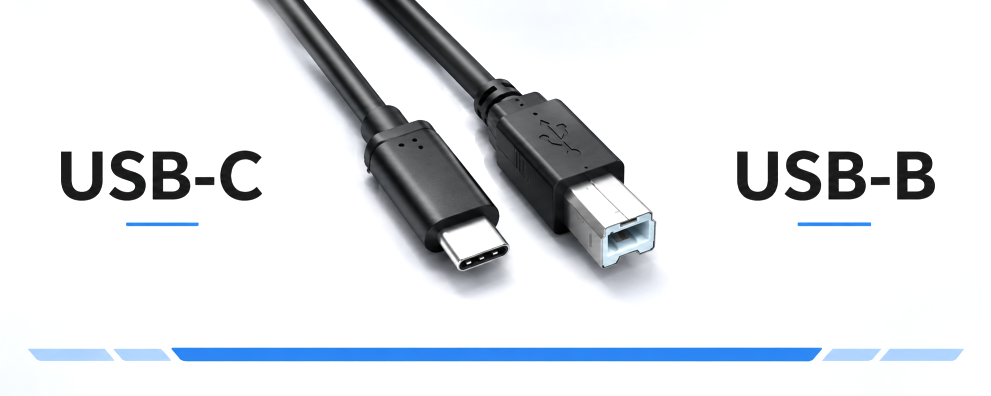
Choose the right length and packaging for your workplace, IT service or resale. Before ordering, check that the device socket matches the product image: USB Type B and Micro-B are different connector types.
USB-C to USB-B cable for printers, scanners and peripherals

1 to 11 (from a total of 11)
USB-C to USB-B: choosing the right connection cable
A USB-C to USB-B cable connects a computer with a USB-C data port to a peripheral device with a USB-B socket. This is particularly handy when setting up a new workstation and you want to continue using existing printers, scanners or other USB-B devices.
| Feature | Choices in this category | What to look out for? |
|---|---|---|
| Connectors | USB-C plug to USB 2.0 Type-B plug | USB-C on the computer, standard USB-B socket on the peripheral device. |
| Data standard | USB 2.0, up to 480 Mbit/s | The USB-C connector shape alone does not determine a higher data rate. |
| Cable length | 0.5 m, 1 m, 2 m, 3 m or 5 m depending on the model | Take into account the route the cable will follow, including allowance for movement and connection. |
| Colour | Black and a white version in 2 m | Select the colour and length based on the specific product. |
| Packaging | DINIC polybag or DINIC box with Euro-hole | Order to suit project requirements, stock management or product display. |
USB-C printer cables for offices, retail and service
Many printers, multifunction devices and scanners have a standard USB-B socket. With a suitable USB-C printer cable, they can be connected directly to a computer with a USB-C port. Labelling printers, audio interfaces and measuring devices may also be suitable for use, provided the connection and device requirements are compatible.
The cable establishes the USB connection. Whether all printing, scanning or device functions are available also depends on the operating system, drivers and the relevant device software. Please refer to the device manufacturer’s specifications in this regard.
What speeds do these USB-C to B cables support?
The cables offered here operate in accordance with USB 2.0, with a maximum data rate of 480 Mbit/s. The actual usable speed depends on the connected devices and the application. A faster USB-C port does not increase the data rate of a USB 2.0 connection.
What cable length is best for installation?
For devices located right next to the computer, short cables of 0.5 or 1 m are ideal. Versions measuring 2 or 3 m allow for more space at your workstation. For connections further away, 5-metre versions are also available. Measure the actual route the cable will take and avoid putting tension on the connectors or creating sharp bends.
Does the cable also supply power to the printer?
The USB connection can supply power to compatible, USB-powered small devices. Printers and other devices with their own mains connection still require their designated power supply. The requirements of the respective device are decisive.
Polybag or DINIC box with Euro hole?
The DINIC polybag is suitable for order picking, service cases and distribution in the project business. The DINIC box with Euro hole provides packaging for display on hooks in specialist shops. Compare the available packaging options for each item. Further information can be found in our overview of packaging types.
USB Type B, Micro-B or Micro-B 3.0?
Check the socket before ordering: the classic USB 2.0 Type B connector is roughly square and has two bevelled upper corners. Micro-B is significantly smaller and flatter; Micro-B 3.0 has a wider, two-part shape. The following categories will help you choose the right cables for these other device connectors.
USB-C to Micro-B 2.0 cables For devices with the small Micro-USB socket: suitable cables for data transfers and powering compatible peripherals. View USB-C to Micro-B 2.0 cables →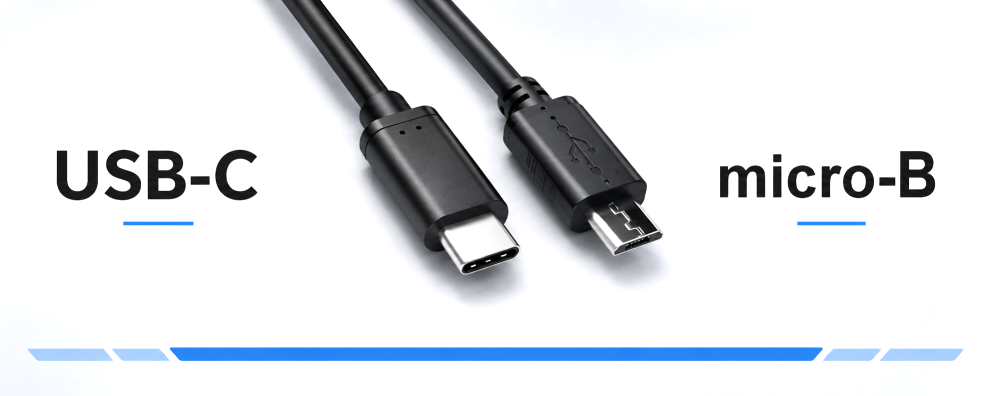 USB-C to Micro-B 3.0 cables For external hard drives and other devices with a wide Micro-B 3.0 socket. This category offers suitable cables for data transfer at speeds of up to 5 Gbit/s. View USB-C to Micro-B 3.0 cables →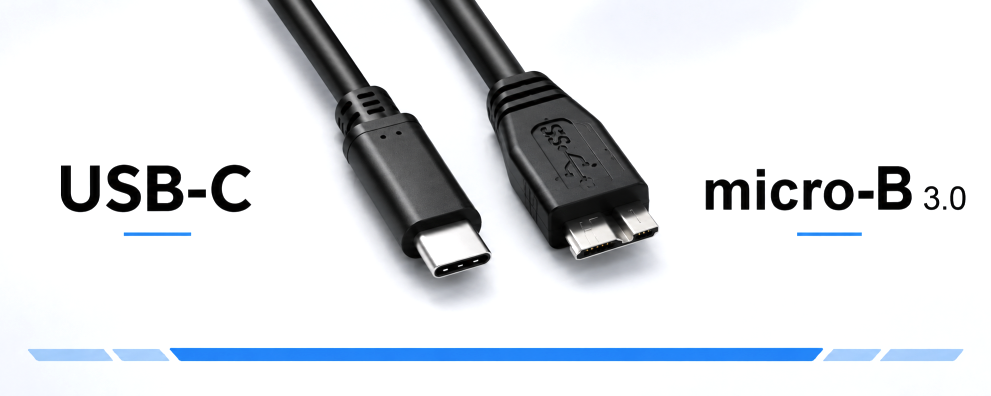
DINIC USB-C to USB-B cables for business customers
DINIC is a brand of MAG GmbH. For specialist retailers, system integrators and commercial users, we provide support in selecting the right product to suit your device, cable length, packaging and quantity. Are you planning to equip a workplace or do you require connection cables for servicing and resale? Please let us know your requirements.
Request advice on USB-C to USB-B cables