
 German / Deutsch
  English
  French / Français
  Spanish / Español
  Dutch / Nederlands
  Italian / Italiano
  Polish / Polski
  Norwegian / Norsk
  Danish / Dansk
  Finnish / Suomi
  Swedish / Svenska
  Czech / Česky
  Greek / Ελληνικά
  Slovak / Slovenčina
  Slovenian / Slovenščina
  Estonian / Eesti
  Latvian / Latviešu
  Lithuanian / Lietuvių
  Hungarian / Magyar
  Romanian / Română
  Bulgarian / Български
  Portuguese / Português
 -
You do not have any products in your shopping cart yet.
USB-C to USB 2.0 Micro-B cable from DINIC
DINIC · For retail, business and industry
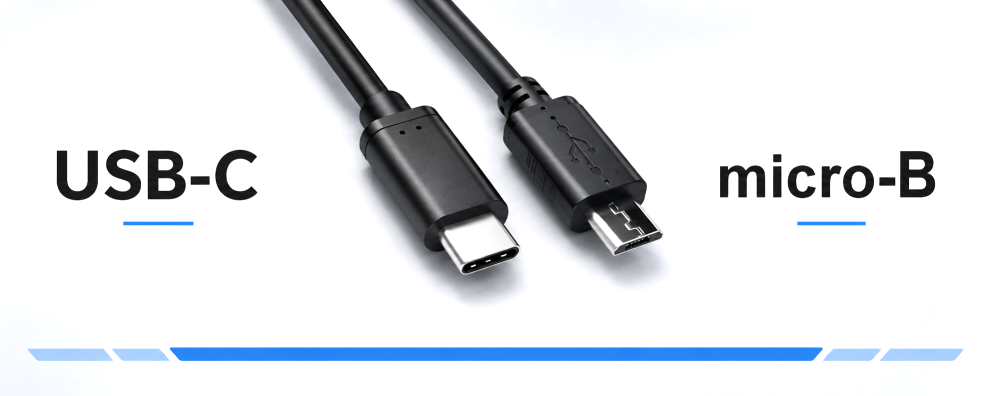
Continue to use devices with a Micro-USB connector on existing USB-C ports. The DINIC USB-C to Micro-B 2.0 cable connects compatible smartphones, controllers and peripherals to a USB-C computer or USB-C charger – for data transfer, power supply and servicing.
Choose the right length and packaging for your workplace, service case or resale. Check the socket on the device: these cables are designed for the small Micro-B 2.0 connector.
USB-C to Micro-USB cable for charging and syncing

1 to 7 (from a total of 7)
USB-C to Micro-B 2.0: choosing the right cable
A USB-C to Micro-USB cable connects a USB-C port to a device with a Micro-USB Type-B socket. This allows existing Micro-USB devices to continue to be used with USB-C equipment. When making your choice, consider the full connector combination, the required functionality and the appropriate cable length.
| Feature | Model | What to look out for? |
|---|---|---|
| Connectors | USB-C plug to USB 2.0 Micro-B plug | USB-C on the computer or charger, Micro-B on the device. |
| Features | Data transfer and charging | For data connections, the USB-C port used must support data transfer. |
| Data rate | USB 2.0, up to 480 Mbit/s | The actual speed also depends on the devices. |
| Lengths and colour | 0.5 m, 1 m and 2 m; black | Measure the route and avoid pulling on the connectors. |
| Packaging | DINIC polybag or DINIC box with Euro hole | Choose the option that suits your service, project requirements or display needs. |
Which devices is the USB-C to Micro-USB cable suitable for?
Typical applications include older smartphones, controllers, mobile peripherals, and measuring and service devices with a compatible Micro-B socket. When connected to a computer, the connection enables synchronisation, configuration or firmware updates, depending on the device. When connected to a suitable USB-C charger, it is used for charging or power supply.
Which functions are actually available depends on the end device, its operating system and, where applicable, the required software. The presence of a Micro-USB port alone does not guarantee all of these functions.
How fast do USB-C to Micro-B 2.0 cables transfer data?
The connection operates in accordance with USB 2.0 at speeds of up to 480 Mbit/s. USB-C refers to the connector type on the other end of the cable. A faster USB-C port does not turn a Micro-B 2.0 cable into a 5 Gbit/s connection. The decisive factors are the cable’s data standard and the capabilities of the connected devices.
Which charger is compatible with the USB-C to Micro-B cable?
For these cables, you’ll need a charger with a USB-C output. The possible charging power depends on the power supply, the cable and the connected device. Neither a specific current rating nor support for fast charging can be deduced from the connector type alone. You should therefore ensure that the specifications of the relevant products are compatible.
USB charging adaptors with a suitable USB-C output Complement your cable with a suitable charger for the workplace, service centres or accessory sales. In this category, select a model with a USB-C output and suitable charging specifications. View USB charging adapters →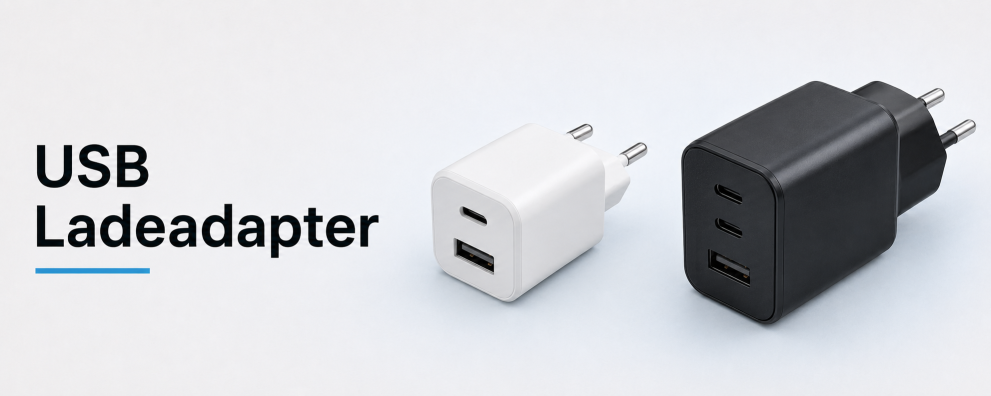
0.5 m, 1 m or 2 m: which length should you choose?
A 0.5 m cable is suitable for short distances directly at the computer or test station. A 1 m cable allows for greater freedom of movement at the workstation. The 2-metre version bridges larger distances to the connection point. Take into account the actual cable routing and allow a little extra length to ensure the Micro-USB plug is not under tension.
What is the difference between Micro-B 2.0, Micro-B 3.0 and USB Type B?
The shape of the socket is the key difference: Micro-B 2.0 is small and flat. Micro-B 3.0 has a wider, two-part design, such as that found on external hard drives. To achieve the full USB 3.0 data rate, choose a suitable Micro-B 3.0 cable.
USB-C to Micro-B 3.0 for external storage Does your device have the wide Micro-B 3.0 socket? Here you’ll find suitable cables for external hard drives and other compatible devices with data rates of up to 5 Gbit/s. View USB-C to Micro-B 3.0 cables →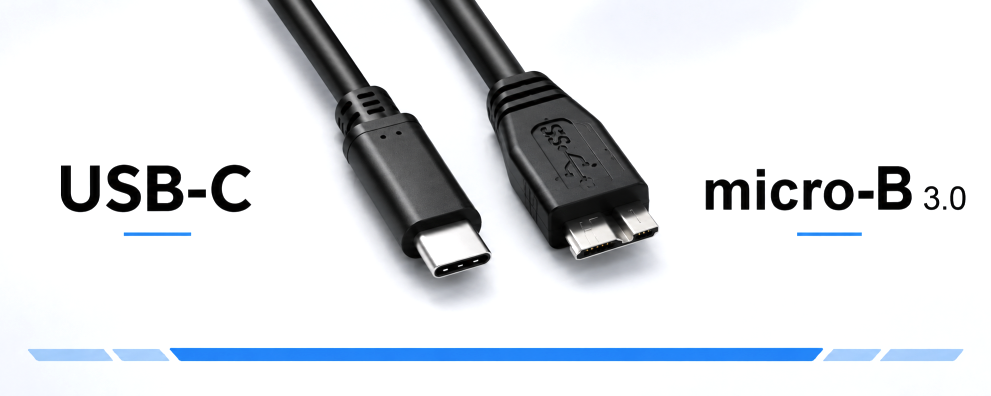
For the larger, almost square USB-B socket found on many printers and scanners, you’ll find suitable USB-C to USB-B cables in a separate category.
Check packaging and connector combinations before purchasing
The DINIC polybag is suitable for storage, order picking and dispensing in service centres. The DINIC box with Euro-hole is suitable for display on hooks in specialist shops. You can find details in our overview of packaging types.
The additionally listed 3-in-1 cable features a USB-A connector on the connection end. When purchasing multi-function cables, please therefore check the full connector combination and the described functions of the respective item.
DINIC Micro-USB cables for business customers
DINIC is a brand of MAG GmbH. Do you need cables for existing devices, a service stock or your range of accessories? Please let us know the device type, connectors, cable length and quantity. We assist specialist retailers, system integrators and commercial users with their selection.
Request advice on USB-C to Micro-USB cables