
 German / Deutsch
  English
  French / Français
  Spanish / Español
  Dutch / Nederlands
  Italian / Italiano
  Polish / Polski
  Norwegian / Norsk
  Danish / Dansk
  Finnish / Suomi
  Swedish / Svenska
  Czech / Česky
  Greek / Ελληνικά
  Slovak / Slovenčina
  Slovenian / Slovenščina
  Estonian / Eesti
  Latvian / Latviešu
  Lithuanian / Lietuvių
  Hungarian / Magyar
  Romanian / Română
  Bulgarian / Български
  Portuguese / Português
 HDMI adaptor for USB-C, DisplayPort, DVI and VGA
DINIC · Connection solutions for IT and AV technology
Connect laptops, PCs and media players to monitors, televisions and projectors. The DINIC range includes USB-C and DisplayPort-to-HDMI adaptors, HDMI/DVI adaptors and active HDMI-to-VGA converters. HDMI connectors, angled adaptors, switchers and splitters round off the range for installation, IT support and professional presentation technology.
Go directly to selected connection solutions:
Important when choosing: Check the signal direction, device connections and resolution, including refresh rate. Selected adaptors support 4K at 60 Hz; certain connectors and angled adaptors are rated for up to 8K at 60 Hz. The relevant product specification takes precedence.
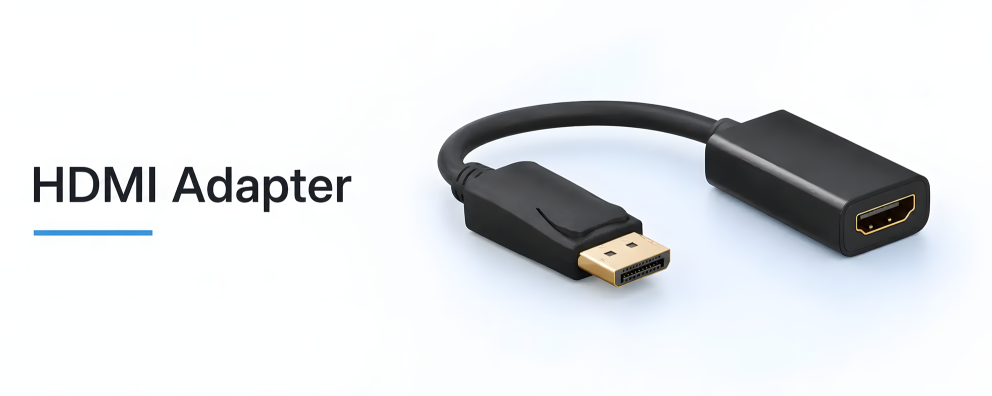
HDMI connections for workstations and meeting rooms

Which HDMI adapter is right for your devices?
Start by considering the video output of the source device and the input of the display. A USB-C laptop connected to an HDMI monitor requires a different solution to an HDMI PC connected to a VGA projector. The following examples illustrate the respective signal direction and the performance specifications of selected DINIC models.
| Adapter / Product | Compatible connection | Performance and requirements |
|---|---|---|
| USB-C → HDMI USBC-HDMI-SG-PB |
USB-C laptop or tablet to HDMI display | Up to 4K / 60 Hz; USB-C output with DisplayPort Alt Mode required. |
| DisplayPort → HDMI DP-HDMI-MF-PB |
DisplayPort PC or docking station to HDMI monitor | Up to 4K / 60 Hz; passive, suitable DP++ source required. |
| Mini DisplayPort → HDMI MDP-HDMI-KB |
Mini DisplayPort source to HDMI display | Up to 4K / 30 Hz; Mini DisplayPort has a different connector shape to USB-C. |
| HDMI → VGA with audio HDMI-VGA-KB |
HDMI source to VGA monitor or projector | Active conversion; up to 1920 × 1200 / 60 Hz; separate 3.5 mm audio output. |
| HDMI / DVI HDMI-DVI-AMF adapter |
Connect a DVI cable to an HDMI Type A socket | Digital image transmission; audio must be routed separately. |
The specifications apply to the linked items. The source, adapter, cable and display must all support the desired picture mode. Details regarding HDR, HDCP and audio functions must also be checked on the respective product.
Connecting HDMI cables and routing them to save space
HDMI connectors: female to female
An HDMI coupler is used to connect two cables with HDMI Type A plugs. The HDMI-BU-ALU-O model is specified for up to 8K / 60 Hz and 4K / 120 Hz. It operates passively and does not amplify the signal; cable quality and total length remain crucial.
HDMI angle adaptor: connection in confined spaces
A 90° HDMI angle adapter makes it easier to route cables behind displays or in confined installation spaces. The HDMI-BU-A90-KB supports up to 8K / 60 Hz and 4K / 120 Hz. Compare the product image with the installation position: ‘top’ and ‘bottom’ depend on the orientation of the device socket.
Frequently asked questions about HDMI adaptors
Does a USB-C to HDMI adapter work on any USB-C port?
No. The USB-C-to-HDMI adapters shown here require video output via DisplayPort Alt Mode. A port intended solely for USB data or charging is not sufficient. Check this feature in the device specifications for your laptop, tablet or smartphone.
Is DisplayPort to HDMI the same as HDMI to DisplayPort?
No. A DP-to-HDMI adapter is designed for DisplayPort as the source and HDMI as the display. For the reverse direction, you’ll need an active converter specifically designed for that purpose. The HDMI-to-VGA converter shown here also only works in the direction specified.
What is the difference between an HDMI switcher and an HDMI splitter?
An HDMI switcher selects between signal paths: the HDMI-U-2F-KB switches between two sources to a single display, or between a single source and one of two displays. It supports up to 4K / 60 Hz. An HDMI 1-to-4 splitter, on the other hand, displays the same content simultaneously on up to four displays; the HDMI-SPLIT-4-KB model supports up to 4K / 30 Hz. This splitter does not generate different extended desktop content.
Is the specification ‘4K’ sufficient for my monitor?
No. The refresh rate is also important: 4K at 30 Hz has different requirements to 4K at 60 or 120 Hz. Choose each component according to the desired display mode. A single 8K connector does not improve the performance of other devices or cables.
Why isn’t my HDMI adapter displaying a picture?
First, check the signal direction, monitor input and that the display output is enabled. Then check the resolution, cables and device compatibility. Depending on the source, the HDMI-to-VGA adapter may require an additional power supply via Micro-USB; please refer to the product description.
Suitable cables and other connection options
Complement the adapter with an HDMI cable of the appropriate length and performance class. Further connection combinations can be found amongst the DisplayPort adapters and DVI adapters. Also ensure that the plug and socket match your existing cabling.
HDMI adapters for specialist retailers, system integrators and AV installations
MAG GmbH has specialised in cables and adapters since 1992. Through DINIC, we support commercial procurement for workstations, conference technology and resale. Depending on the item, DINIC Box, polybag or bulk versions are available; specifications and stock levels can be found on the product pages.
Are you planning an installation or do you require a larger quantity? Please let us know the source device, display, connectors, desired picture mode, cable length and quantity. This will enable us to specifically assess the most suitable solution.