Choosing the right USB-C cable: understanding charging, data transfer, video and docking
USB-C primarily refers to the connector type – not necessarily the performance. A cable may only be capable of charging, transferring data slowly, supporting fast SSDs, driving monitors or supplying a laptop with high power. The key factors are charging power, data transfer rate, video support, the E-mark and the specific application – whether for a device, dock, monitor or power supply.
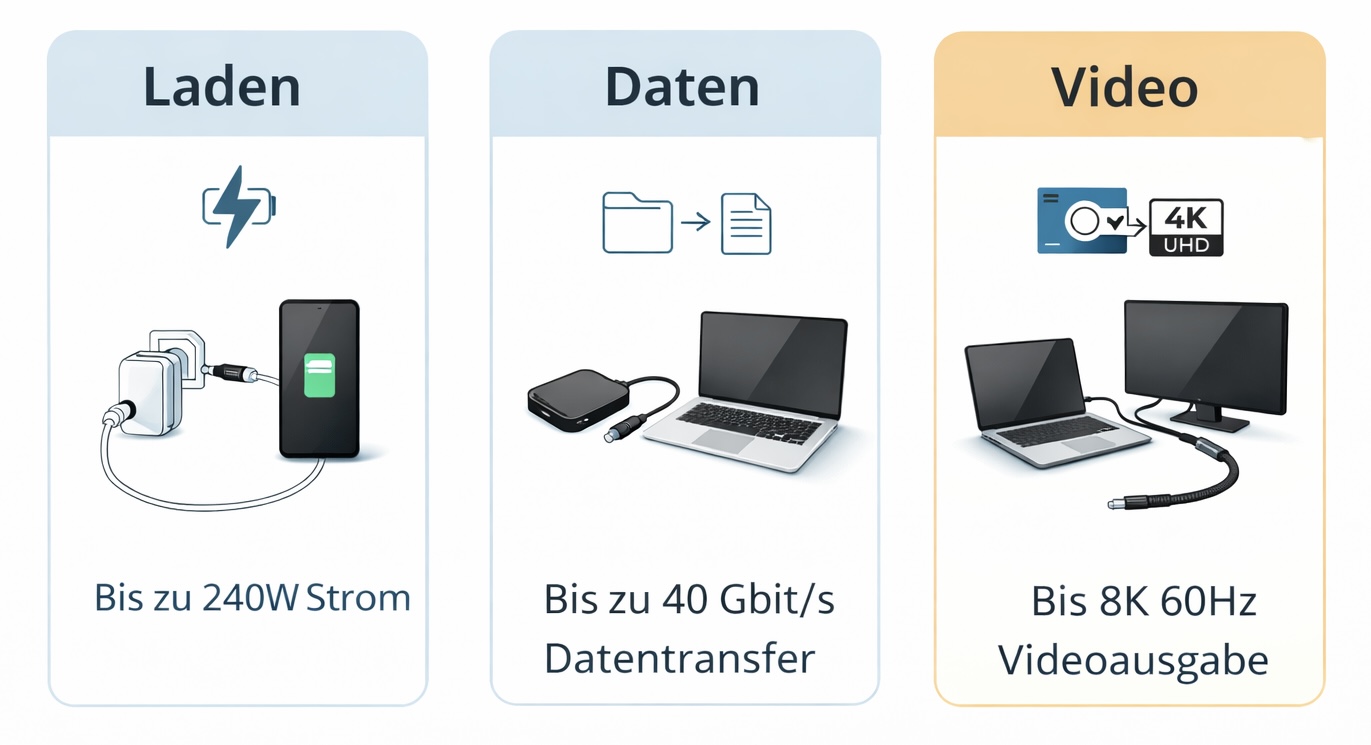
USB-C is the connector type; USB 2.0 / 3.x / USB4 determines the functions. PD up to 240 W is only possible with the right combination; video support is not available on every cable
Charging only
Check the wattage: smartphones, tablets and laptops have different requirements.
Data & SSD
For large files, backups and external SSDs, the specified data rate is crucial.
Monitor & Video
The device, port and cable must support video via USB-C.
Docking station
For docks, a full-featured cable with data, power and, where applicable, video is the safest choice.
A quick decision based on your needs
Charging a smartphone or power bank: A good USB-C charging cable is often sufficient if high data transfer rates or video functions are not required.
Charging a laptop: Check the combined charging capacity of the mains adaptor, laptop and cable. For high power outputs, it is important to check for the relevant USB-PD and E-Mark specifications.
External SSD or large amounts of data: Don’t just look for USB-C, but check for data transfer rates such as 5, 10, 20, 40 or 80 Gbit/s.
Monitor, dock or workstation: Choose a cable with the appropriate video/docking compatibility; a charging-only cable is usually not sufficient for this.
USB-C 2.0, USB 3.x or USB4: which standard suits which application?
The most common reason for buying the wrong cable is confusing the USB-C connector with the actual USB standard. For charging only, a simpler cable is often sufficient. For high-speed data transfer, external SSDs, docks and monitors, you should specifically look for compatibility with USB 3.x, USB4 or Thunderbolt.
Application
Recommended standard / cable type
Practical tip
Charging only, simple devices, power bank, mouse, keyboard
USB-C with USB 2.0 is often sufficient
For charging only or simple connection tasks, the data rate is usually of secondary importance. The correct wattage remains important, particularly for tablets and laptops.
Fast charging for smartphones, tablets or laptops
USB-C with suitable PD power
For fast charging, the power adaptor, device and cable all play a part. For higher power ratings of 60 W, 100 W or 240 W, look out for USB Power Delivery and the E-mark.
Standard data transfer, USB flash drives, simple peripherals
USB 3.x / USB 3.2 Gen 1
Typically the 5 Gbit/s class, a good starting point for everyday data transfer. The old term ‘USB 3.0’ is still often used in the market to refer to this class.
External SSDs, large files, backups, media production
USB 3.2 Gen 2 / Gen 2x2 or USB4
Look for noticeably faster transfer speeds of 10 Gbit/s, 20 Gbit/s or higher. The device and the port must also support this speed.
Monitor, docking station, multi-port adapter
USB-C with video, USB4 or Thunderbolt
Not every USB-C cable supports video. For monitors and docks, the video/display function must be supported by the cable, port and device.
Professional dock, fast SSD, multiple functions via a single cable
USB4 40 Gbit/s or higher
USB4 is a good choice if you want to bundle data, display and power via a high-performance connection. For USB4 at 80 Gbit/s, the entire chain must be specified accordingly.
Key point: USB-C 2.0 is often sufficient for charging and simple tasks. USB 3.x is suitable for faster data transfer. USB4 is the better choice for modern docks, fast SSDs, monitors and high-performance workstation set-ups.
Why USB-C cables are so often confused
Two USB-C cables can look almost identical on the outside yet have very different capabilities. The shape of the connector does not automatically indicate whether a cable supports high charging power, fast data rates, video or docking.
USB-C refers to the physical design of the connector.
USB 2.0, USB 3.x and USB4 describe the performance and functionality class.
Power Delivery relates to the maximum charging power.
DisplayPort Alt Mode, USB4 or Thunderbolt are relevant for many video and docking set-ups.
Important considerations when choosing
The actual performance always depends on the complete combination: the device, the USB-C port, the power supply, the dock, the monitor and the cable. A high-quality cable cannot compensate for missing features on the device.
Practical tip: For monitors, docks, fast SSDs and laptop charging, the technical specifications should be explicitly stated on the cable. Simply ‘USB-C’ is not sufficient as a purchasing criterion.
Selection table: which USB-C cable for which purpose?
Application
What to look out for?
Recommendation
Charging a smartphone
Length, build quality, suitable charging power
A good USB-C charging cable is usually sufficient. Fast charging is only possible if the power adaptor, device and cable are compatible.
Charging a tablet or laptop
USB Power Delivery, wattage specification, E-mark where applicable
For laptops, specifically select 60 W, 100 W or 240 W, depending on the device’s requirements.
USB stick / basic data
Data transfer rate suitable for the application
USB 3.x is often a good choice if you want to avoid unnecessarily slow data transfer speeds.
External SSD / backups
10, 20, 40 or 80 Gbit/s and compatible ports
For SSDs and large amounts of data, choose a clear high-speed specification.
Monitor / Display
Video support via USB-C, port and device
Only use cables that are suitable for video, USB4 or Thunderbolt.
Docking station
Check data, Power Delivery, video and cable length together
For workplace set-ups, a fully-fledged, certified cable is usually the safer choice.
USB-C for charging: ensure the wattage is correct
When charging, the power supply, device and cable all work together. A high-powered supply is of little use if the cable or device does not support that power rating. A simpler cable is often sufficient for smartphones, whilst for tablets and laptops, the supported power rating should be clearly specified.
Up to 60 W: many standard setups100 W: many laptop applications240 W: USB-PD 3.1 EPR, only with a compatible chain
E-Mark and high charging power
For higher charging power and demanding high-speed applications, a cable with electronic marking is important. The E-mark helps devices recognise the cable’s specifications.
Important: A high wattage rating does not automatically mean fast data or video transfer. Charging power, data rate and video functionality must be checked separately.
USB-C for data: not every connection is equally fast
A common mistake is made when it comes to data transfer. Many cables are adequate for charging, but slow down external SSDs, docking stations or large file transfers.
USB 2.0: sufficient for simple tasks and charging, but slow with large files.
USB 3.x: suitable for fast data transfer, storage and many accessory applications.
USB4: ideal for docks, modern SSDs, display functions and high-performance setups.
USB-C for monitors and video
A USB-C connector does not automatically mean that a monitor can be connected. For displays, docks and multi-port adaptors, the laptop/tablet, USB-C port, cable and monitor must all support the appropriate video function.
For monitors, check for support for DisplayPort Alt Mode, USB4 or Thunderbolt.
For docks, also check the power supply, data rate and number of displays.
A charging cable alone is usually not the right choice for monitor-based workstations.
Docking stations and workstation set-ups
In everyday professional use, a cable is often required to charge, transfer data and power monitors simultaneously. To achieve this, procurement and IT departments should not simply look for USB-C, but rather seek a clear specification for the planned workstation.
Recommendation: For docks and recurring workstation equipment, USB4/Thunderbolt-compatible or clearly documented high-speed cables are usually the better basis for decision-making.
Avoiding typical mispurchases
Mistaking a USB-C connector for one with full functionality.
Attempting to use a cable intended solely for charging a dock or monitor.
Failing to check the required charging power for laptops.
Choosing a cable with an unsuitable data rate for SSDs.
Treating all USB-C cables as equivalent.
Failing to distinguish between USB 2.0, USB 3.x and USB4.
FAQ: Choosing the right USB-C cable
Is USB-C 2.0 sufficient for charging?
For charging only, a USB-C cable with USB 2.0 is sufficient in many cases. However, the key factors are the cable’s supported charging power and the combination of power adaptor and device.
When do I need USB 3.x?
USB 3.x is useful if you need to transfer data more quickly, for example with USB sticks, external SSDs, hubs or regular file transfers.
When is USB4 the better choice?
USB4 is particularly useful for docking stations, modern laptops, fast SSDs, monitors and setups where data, video and power need to be bundled via a single cable.
Can any USB-C cable connect to a monitor?
No. For this, the device, USB-C port and cable must all support the relevant video functionality. A standard charging cable is usually not sufficient for a monitor or dock.
Can any USB-C cable fast charge?
No. Fast charging only works if the power adaptor, device and cable all support the required power output. For high-power applications, the wattage rating, USB Power Delivery and the E-Mark are important.
What does ‘E-Mark’ mean for USB-C cables?
An E-Marker is an electronic identification module within the cable. It helps devices recognise the cable’s characteristics, for example when dealing with higher power or demanding high-speed applications.
The right shop to order from: B2B or B2C?
To ensure visitors can find the right ordering option straight away, the shop information is deliberately summarised here at the end: mag-kabel.de for business customers and commercial procurement, DINIC Shop for private customers and individual purchases.
B2B shop:Business customers order via mag-kabel.de
For businesses, IT departments, retailers, resellers, workplace equipment, project requirements, recurring procurement and technical enquiries.
Guidance: B2B = mag-kabel.de for businesses and procurement. B2C = DINIC Shop for private customers and individual orders.
Buying advice in a nutshell
Always choose a USB-C cable based on its actual use: charging, data transfer, video or docking – and check whether USB-C 2.0, USB 3.x or USB4 is sufficient for the application.

 German / Deutsch
  English
  French / Français
  Spanish / Español
  Dutch / Nederlands
  Italian / Italiano
  Polish / Polski
  Norwegian / Norsk
  Danish / Dansk
  Finnish / Suomi
  Swedish / Svenska
  Czech / Česky
  Greek / Ελληνικά
  Slovak / Slovenčina
  Slovenian / Slovenščina
  Estonian / Eesti
  Latvian / Latviešu
  Lithuanian / Lietuvių
  Hungarian / Magyar
  Romanian / Română
  Bulgarian / Български
  Portuguese / Português
  Charging only
Check the wattage: smartphones, tablets and laptops have different requirements.
Data & SSD
For large files, backups and external SSDs, the specified data rate is crucial.
Monitor & Video
The device, port and cable must support video via USB-C.
Docking station
For docks, a full-featured cable with data, power and, where applicable, video is the safest choice.
Charging only
Check the wattage: smartphones, tablets and laptops have different requirements.
Data & SSD
For large files, backups and external SSDs, the specified data rate is crucial.
Monitor & Video
The device, port and cable must support video via USB-C.
Docking station
For docks, a full-featured cable with data, power and, where applicable, video is the safest choice.