 German / Deutsch
  English
  French / Français
  Spanish / Español
  Dutch / Nederlands
  Italian / Italiano
  Polish / Polski
  Norwegian / Norsk
  Danish / Dansk
  Finnish / Suomi
  Swedish / Svenska
  Czech / Česky
  Greek / Ελληνικά
  Slovak / Slovenčina
  Slovenian / Slovenščina
  Estonian / Eesti
  Latvian / Latviešu
  Lithuanian / Lietuvių
  Hungarian / Magyar
  Romanian / Română
  Bulgarian / Български
  Portuguese / Português
 -
You do not have any products in your shopping cart yet.
VGA cables and adaptors for monitors and projectors
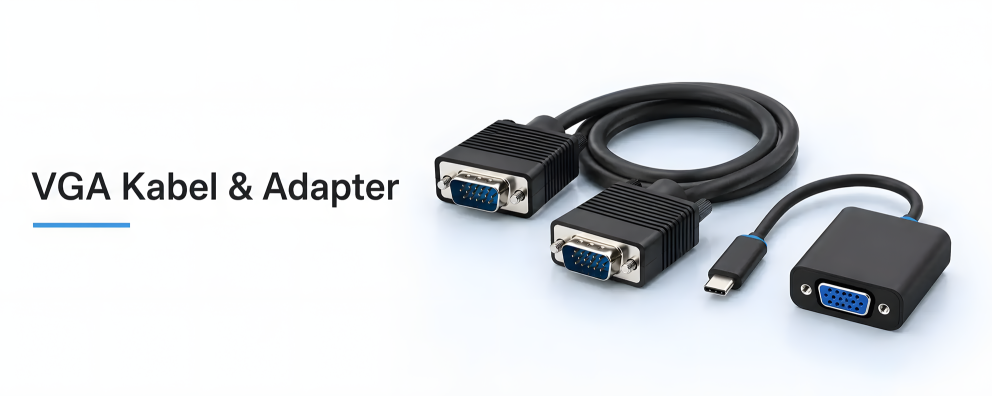
DINIC · VGA connection solutions for retail and business Connect PCs, laptops and docking stations to analogue displays: the DINIC range includes VGA/S-VGA monitor cables as well as adaptors for HDMI, USB-C, DisplayPort, Mini DisplayPort and DVI-I. This enables you to support existing workstations, meeting rooms and technical installations with VGA connections. Select based on the source’s video output, the display’s VGA input and the required cable length. For adapters, the signal direction, supported resolution and device compatibility are also crucial. Important: VGA transmits analogue video signals. An HDMI-to-VGA converter converts in a fixed direction; a passive DVI-I adapter requires an analogue signal to begin with.
Continue using existing VGA monitors and projectors

1 to 13 (from a total of 13)
Which VGA adapter is compatible with the video output?
Start with the source device: What type of video output does your PC, laptop or docking station have? The following adapters connect compatible sources to a VGA monitor or projector. A suitable VGA cable is required between the adapter’s VGA socket and the display.
| Video output on the source | Suitable adapter | Performance and requirements |
|---|---|---|
| HDMI Type A | HDMI → VGA with audio HDMI-VGA-KB |
Active conversion; up to 1920 × 1200 at 60 Hz. Separate 3.5 mm audio output; HDMI to VGA only. |
| USB-C | USB-C → VGA USBC-VGA-SPB |
Up to 1920 × 1080 at 60 Hz. Check the USB-C port’s video functionality and device compatibility. |
| DisplayPort | DisplayPort → VGA DP-VGA-KB |
Up to 1920 × 1080 at 60 Hz. Connect the DisplayPort plug to the source and the VGA socket to the display. |
| Mini DisplayPort | Mini DisplayPort → VGA MDP-VGA |
Up to 1920 × 1080. Check the Mini DisplayPort connection and the compatibility requirements specified in the product description. |
| DVI-I with analogue output | DVI-I → VGA DVI-8750-KB |
Passive adapter without signal conversion. The source must provide an analogue VGA signal; not suitable for DVI-D outputs only. |
The performance specifications apply to the linked items. The source, adapter, VGA cable and display must all support the desired display mode. A higher maximum adapter resolution will not increase the resolution of an older monitor.
VGA monitor cables for direct connections
If both the source and the display have a VGA socket, connect them using a VGA cable with a 15-pin HD15 plug at both ends. The DINIC S-VGA monitor cable, 2 m in length (6440-S-KB), is double-shielded and features coaxial RGB conductors, two ferrite cores and gold-plated contacts. It is supplied in a DINIC box.
Plan the actual route with sufficient cable length to spare. The shielding and ferrite cores help to reduce interference. The achievable image quality also depends on the cable length, signal source and display. Check the intended setup before final installation.
HDMI to VGA: Convert the image, route audio separately
The HDMI-VGA adapter converts the digital HDMI image into an analogue VGA signal. Audio is available separately via the 3.5 mm jack socket. Depending on the source, an additional power supply via micro-USB may be required; the micro-USB cable is not included.
DVI-I to VGA: using analogue cables
The passive DVI-8750-KB passes through an existing analogue signal. It does not generate a VGA signal from a purely digital DVI-D output. Please also note the plug and socket types: for a different connection configuration, the DVI-9100-KB is available with a VGA plug and a DVI-I socket.
Frequently asked questions about VGA cables and adaptors
Does an HDMI-to-VGA adapter also work in the opposite direction, from VGA to HDMI?
No. The HDMI-VGA-KB shown here works exclusively from an HDMI source to a VGA display. To connect a VGA source to an HDMI display, you will need an active converter specifically designed for the reverse direction.
Does a VGA cable also carry audio?
A standard VGA monitor cable transmits video signals, not audio. You’ll need a separate signal path for the audio connection. With the HDMI-to-VGA converter, you can connect the audio via the additional 3.5 mm output to, for example, active speakers or a suitable audio input.
Can VGA transmit Full HD at 60 Hz?
The linked adaptors, the USBC-VGA-SPB and DP-VGA-KB, are specified for up to 1920 × 1080 at 60 Hz. The HDMI-VGA-KB supports up to 1920 × 1200 at 60 Hz. This does not guarantee compatibility for every VGA connection: the source, cable and display must also be suitable.
Why is the VGA monitor not displaying an image when using an adapter?
First, check the signal direction, the selected monitor input and that the display output is enabled. Then check the resolution, the connections and whether any contacts may be bent. For USB-C, check the port’s video function; for DVI-I, check the analogue output. With an HDMI-to-VGA cable, an additional power supply may be required.
Further connection combinations
You can find further solutions amongst the HDMI adaptors, DisplayPort adaptors and DVI adaptors. Compare the video output, display input and required signal conversion for each.
VGA cables and adapters – wholesale
MAG GmbH has specialised in cables and adapters since 1992. Under our own brand, DINIC, we supply specialist retailers, system integrators, the commercial sector and industry. VGA connection solutions support maintenance, equipment replacement and the continued operation of existing monitor and presentation technology.
Are you planning an installation or do you require a larger quantity? Please let us know the source device and display, existing connections, desired resolution including refresh rate, cable length and quantity. This will enable us to specifically check for the right connection.